
Shogun and Replo both give Shopify merchants more control over storefront design than Shopify’s standard theme editor, but they are built around different operating models.
Shogun combines visual page building with reusable content, Shopify section workflows, scheduling, global content, and higher-tier tools for multi-store content operations. Replo puts more emphasis on design flexibility, Figma workflows, campaign landing pages, analytics, and experimentation.
The practical decision is not simply whether either app can build a custom Shopify page. Both can. The more useful question is whether your team needs structured storefront content management or a design-and-experimentation workflow for rapid campaign production.
Key Takeaways
- Shogun has the lower entry price: Build is currently $39/month and includes 25 published pages.
- Replo is more design-oriented: Its workflow includes a dedicated Figma integration, reusable components, custom code options, and campaign-focused page production.
- Shogun is stronger for structured content operations: Higher plans add scheduling, global content, multi-store syncing, CMS collections, and custom code elements.
- Replo makes experimentation more central: Paid plans include A/B testing, while new Shogun Shopify users are directed to Shogun’s separate A/B Testing app.
- The deciding factor is workflow: Shogun better matches content teams managing repeatable storefront experiences; Replo better matches design and growth teams producing and testing campaign pages.
Quick Verdict
Choose Shogun if your priority is a lower-cost visual builder with reusable storefront content, Shopify section interoperability, scheduling, and content-management features that can scale across pages or stores.
Choose Replo if your workflow starts with design and moves quickly into campaign pages, Figma collaboration, variations, analytics, and A/B testing.
Shogun’s entry plan is substantially cheaper. Replo costs more, but its value proposition is broader than basic page publishing: it is aimed at teams that treat landing-page production and experimentation as part of their growth process.
Shogun vs Replo: Side-by-Side Comparison
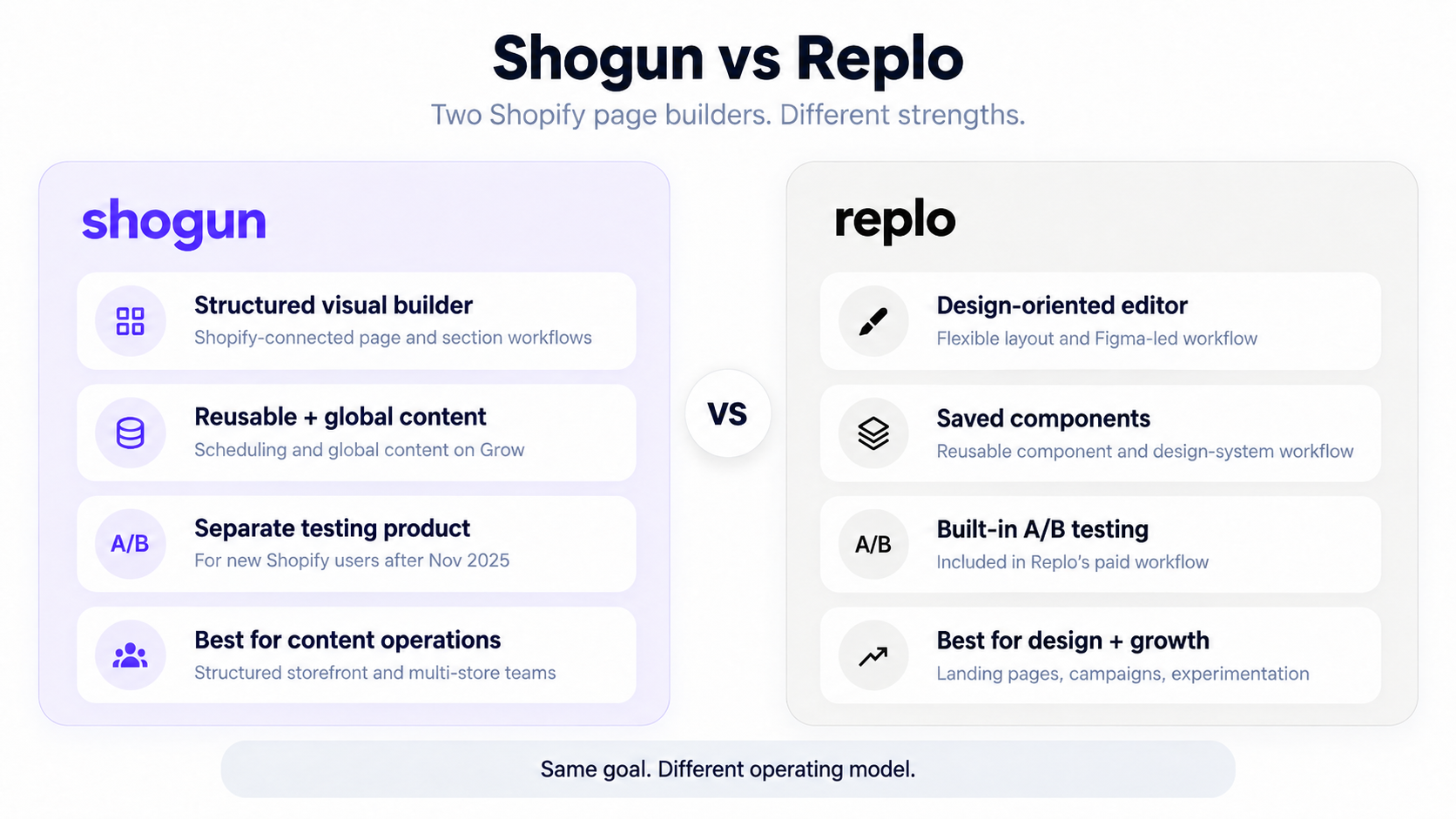
| Area | Shogun | Replo |
|---|---|---|
| Free option | Draft pages; no publishing | Build and preview; no publishing |
| Entry paid plan | Build — $39/month | Starter — $119/month |
| Entry publishing | 25 published pages | 15 published items |
| Unlimited publishing | Grow — $199/month | Pro — $599/month |
| Editor direction | Structured visual page building | Design-oriented visual building |
| Shopify sections | Import and create Shopify sections | Import and use Shopify sections |
| Reusable content | Reusable sections; Global Content on Grow | Saved Components and design systems |
| Figma workflow | Not a central documented workflow | Dedicated Figma-to-Replo workflow |
| A/B testing | Separate Shogun testing product for new Shopify users | Included on paid plans |
| Scheduling | Available on Grow | Not positioned as a core equivalent feature |
| Multi-store content | Content syncing on Advanced | Multi-store capacity on higher plans |
| Best fit | Structured storefront management | Design, campaigns, and experimentation |
Pricing and product availability can change. The figures in this comparison were checked against current official product information in September 2026.
Who Shogun Is Best For
Shogun is well aligned with merchants who want a visual page builder to become part of a larger storefront-content system.
Its Build tier covers the core visual builder, templates, page analytics, and reusable content sections. Grow moves to unlimited pages and adds features such as scheduling and global content. Advanced adds multi-store content syncing, CMS collections, and custom code elements.
That structure makes Shogun particularly relevant to stores that manage repeatable page patterns, seasonal launches, shared content blocks, or several storefronts.
Who Replo Is Best For
Replo is more closely aligned with design, ecommerce growth, and performance-marketing teams.
Its editor uses component and layout concepts that are familiar to modern design-tool users. Replo also provides a dedicated Figma workflow, which can reduce the amount of rebuilding required when campaign concepts begin in a design file.
Replo makes more sense when landing pages are produced frequently, designers need deeper layout control, and testing is part of the publishing process rather than a separate activity.
How This Comparison Was Evaluated
This comparison follows Blinto’s research-and-documentation methodology for app-vs-app reviews.
No hands-on testing claims are used. Shogun and Replo are evaluated against the same merchant-facing criteria: page-building model, customization, Shopify integration, reusable content, responsive design, product-page workflows, experimentation, pricing, scalability, support documentation, and merchant fit.
Time-sensitive pricing and plan limits were checked close to publication preparation.
Page Building and Design Control
Both platforms provide visual Shopify page building, but the emphasis differs.
Shogun’s editor is built around creating and managing pages, reusable sections, and Shopify-connected content. This makes it useful when a merchant wants more design freedom without separating page creation from the rest of the storefront-content workflow.
Replo’s editor is more explicitly design-oriented. Its layout system, reusable components, interactions, and developer options give design teams more room to create campaign-specific experiences.
For merchants primarily building a manageable set of custom pages, Shogun’s workflow may be enough. For teams that repeatedly translate creative concepts into landing pages and variants, Replo’s design model becomes more relevant.
Installation and Onboarding
Both products install through Shopify and connect their page-building workflows to the merchant’s storefront.
Shogun can import compatible Shopify Online Store 2.0 pages and sections into its editor. This is useful for teams that want to keep existing Shopify content while extending the page with Shogun components.
Replo also works with Shopify sections and allows merchants to combine its editor with Shopify-native storefront structures. Its onboarding increasingly emphasizes design systems, components, and campaign-page production.
Neither app should be evaluated only by how quickly the first page can be opened. The more important question is which content model fits the team’s ongoing workflow.
Figma Workflow
Figma is one of Replo’s clearest differentiators.
Replo provides a dedicated Figma-to-Replo workflow for transferring layouts and design structure into the builder. It recommends using Figma Auto Layout because designs built with responsive structure translate more cleanly.
This matters for brands where the design team works in Figma before implementation. It can reduce the duplication involved in designing a page once and then rebuilding the same structure from scratch inside Shopify.
Shogun does not position an equivalent Figma-import workflow as a central Page Builder feature. Its stronger differentiators are reusable content, Shopify section workflows, scheduling, and content operations.
Shopify Theme Integration
Both builders can work with Shopify Online Store 2.0 sections.
Shogun can import existing Shopify sections into compatible pages and can also create sections that become available through Shopify’s Theme Editor. That makes it possible to combine Shogun-built content with parts of a merchant’s existing theme workflow.
Replo similarly supports Shopify sections and can make Replo-created sections available in compatible Shopify theme contexts.
For merchants planning a broader storefront redesign, this integration matters because headers, footers, theme sections, app blocks, and page-builder content still need to work together.
Reusable Content
Reusable content becomes more important as the number of pages grows.
Shogun includes reusable content sections and adds Global Content Sections on Grow. This is useful when a promotion, trust block, announcement, or other shared element needs to be controlled centrally instead of edited page by page.
Replo uses Saved Components and reusable design-system patterns. This is particularly useful for design teams that want campaign pages to share consistent components without giving up layout flexibility.
The difference is less about whether reuse exists and more about the surrounding workflow: Shogun connects reuse to content operations, while Replo connects it more closely to design systems.
Product Pages and Ecommerce Content
Both tools can go beyond standalone landing pages.
Shogun supports custom product-page layouts and can work with Shopify product data while preserving or extending theme-controlled sections.
Replo also supports product templates and Shopify product data, allowing teams to create campaign-specific or standardized product experiences.
Merchants should evaluate product-page tools alongside subscriptions, reviews, bundles, upsells, and other app blocks that need to appear inside the final layout.
A/B Testing and CRO
Experimentation is one of the most important differences.
Replo includes A/B testing as part of its paid workflow, connecting page creation, variants, analytics, and experimentation more directly.
Shogun requires more qualification. Its documentation states that Page Builder A/B testing is no longer available to new Shopify users who first installed Shogun after November 12, 2025. New users who need testing are directed to Shogun’s separate A/B Testing product.
That means older Shogun comparisons can be misleading if they describe testing as though every new Page Builder installation includes the same workflow.
For teams where landing-page experiments are routine, Replo’s current structure is more directly tied to that operating model.
Custom Code and Developer Control
Neither platform is limited to no-code users.
Shogun’s higher tiers support Custom Code Elements for teams that need reusable components beyond the standard visual-builder library.
Replo supports custom HTML, Liquid, CSS, and JavaScript-oriented workflows alongside its visual editor.
Developer flexibility matters most when a merchant needs custom interactions, specialized data, unusual app integrations, or branded components that cannot be built from standard blocks alone.
Pricing and Value
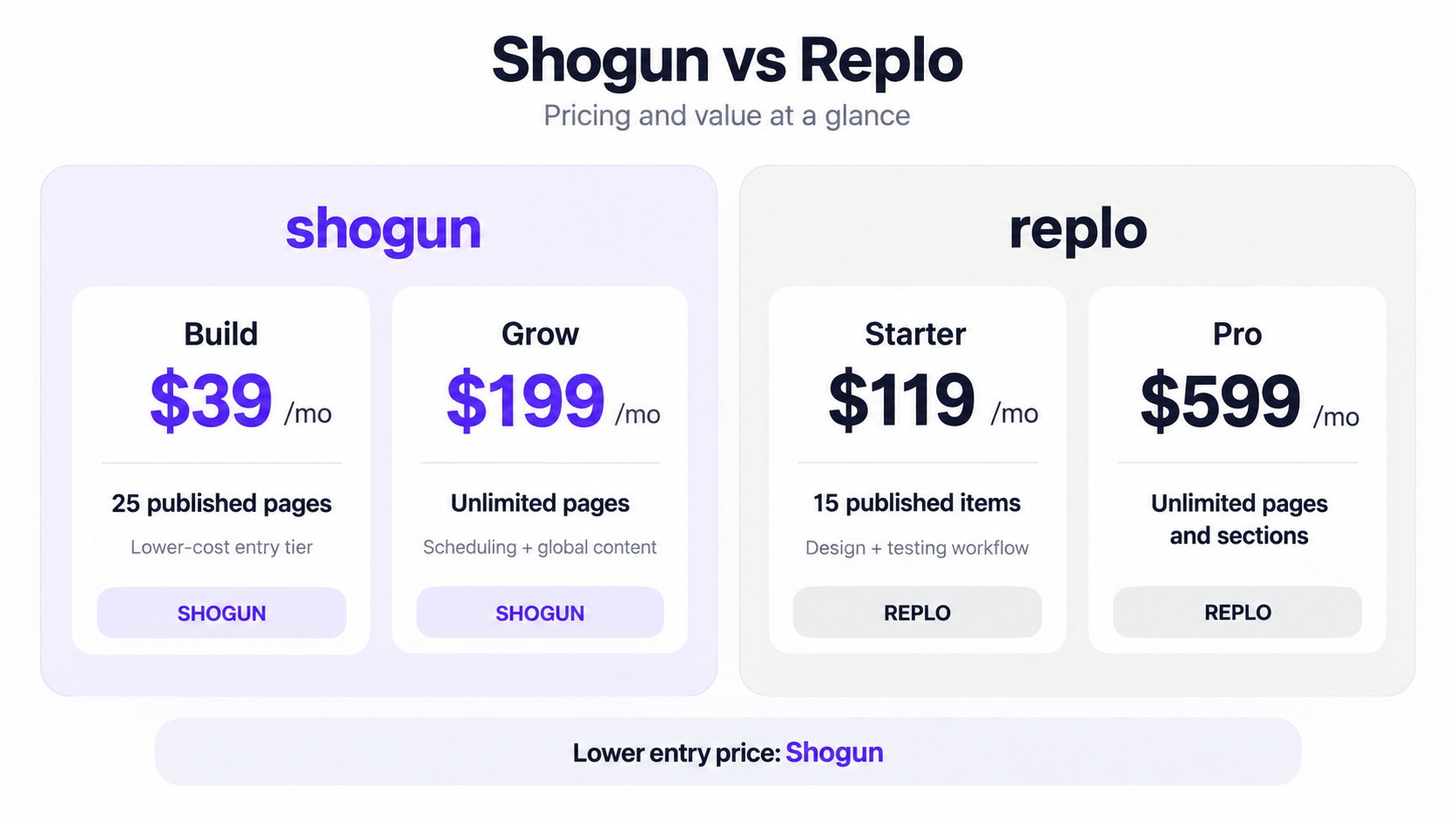
Current monthly pricing checked in September 2026 shows a large difference at the entry level.
| Plan | Shogun | Replo |
|---|---|---|
| Free / draft | $0 — drafts only | $0 — build and preview only |
| Entry paid | Build — $39/month, 25 pages | Starter — $119/month, 15 items |
| Unlimited tier | Grow — $199/month | Pro — $599/month |
| Higher content / scale tier | Advanced — $499/month | Pro is the main high-scale tier |
Shogun Build is the easier price to justify when the core need is visual page building. Grow becomes more relevant when unlimited publishing, scheduling, and global content are needed.
Replo Starter is significantly more expensive, but it is aimed at a different workflow. Its value becomes easier to understand when the team will use Figma integration, advanced design control, analytics, and experimentation rather than simply publishing a few custom pages.
Price alone therefore does not settle the comparison. The useful question is whether the additional workflow saves enough design, development, and experimentation time to justify the subscription.
Integrations
Both products are designed to operate inside Shopify rather than as isolated website builders.
The practical integration question is whether each app can support the exact review, subscription, upsell, bundle, loyalty, analytics, or other storefront tools a merchant already depends on.
For important revenue pages, merchants should verify the exact widgets and app blocks they need before rebuilding large portions of the storefront around either builder.
Support and Documentation
Both Shogun and Replo maintain extensive product documentation covering their editors, Shopify workflows, templates, publishing, and more advanced capabilities.
Support requirements can change as a store scales. A small content team may mainly need setup documentation and responsive-design guidance. An agency or high-volume growth team may care more about implementation assistance, custom integrations, and faster escalation paths.
Plan-specific support should therefore be checked alongside pricing when support is part of the buying decision.
Scalability
The two products define scale differently.
Shogun’s higher tiers increasingly focus on content scale: unlimited pages, global content, scheduled publishing, multi-store syncing, and CMS collections.
Replo’s higher-tier value is more connected to creative and growth scale: unlimited publishing, experimentation, design systems, custom integrations, and workflows for teams producing many campaign experiences.
A merchant can therefore be “large” in two different ways. One business may need centralized storefront governance across multiple stores, while another needs a high-volume landing-page production engine.
Pros and Cons
Shogun pros
- Lower starting price.
- 25 published pages on Build.
- Strong Shopify section workflow.
- Reusable and global content.
- Scheduling on Grow.
- Multi-store content syncing and CMS capabilities on Advanced.
Shogun cons
- Major content-operation features require higher-priced plans.
- New Shopify installations should not assume Page Builder includes the older A/B testing workflow.
- Figma-based design is not as central to the product.
Replo pros
- Design-oriented editor.
- Dedicated Figma workflow.
- A/B testing on paid plans.
- Saved reusable components.
- Strong campaign and landing-page orientation.
- Custom HTML, Liquid, CSS, and JavaScript options.
Replo cons
- Much higher entry price.
- Free tier does not publish pages.
- Starter begins with a lower publishing allowance than Shogun Build.
- Pro is a substantial jump in monthly cost.
Best Fit by Use Case
| Merchant need | Better aligned workflow |
|---|---|
| Lower-cost visual page building | Shogun |
| Reusable storefront content | Shogun |
| Scheduled campaign content | Shogun |
| Multi-store content operations | Shogun |
| Figma-first page production | Replo |
| Paid-media landing pages | Replo |
| Built-in page experimentation | Replo |
| Rapid campaign variants | Replo |
| Structured content governance | Shogun |
| Design-led growth workflow | Replo |
This table is a workflow guide, not a claim that the other platform cannot handle the use case.
Shogun vs Replo for Small Shopify Stores
For a smaller store mainly looking for more control over landing, content, or product pages, Shogun’s $39 Build tier creates a much lower financial barrier.
Replo can still make sense for a smaller brand when paid acquisition and campaign landing pages are core to the business. In that situation, the relevant calculation is not only page-builder cost but how much design and experimentation work the platform replaces.
Shogun vs Replo for Designers
Replo is more naturally aligned with Figma-centered teams.
Its dedicated Figma workflow and design-oriented editor are useful when creative work begins outside Shopify and needs to move into a production page quickly.
Shogun still provides substantial visual control, but its strongest differentiators sit closer to Shopify content management than design-tool interoperability.
Shogun vs Replo for Marketing Teams
The most useful distinction is the workflow surrounding each page.
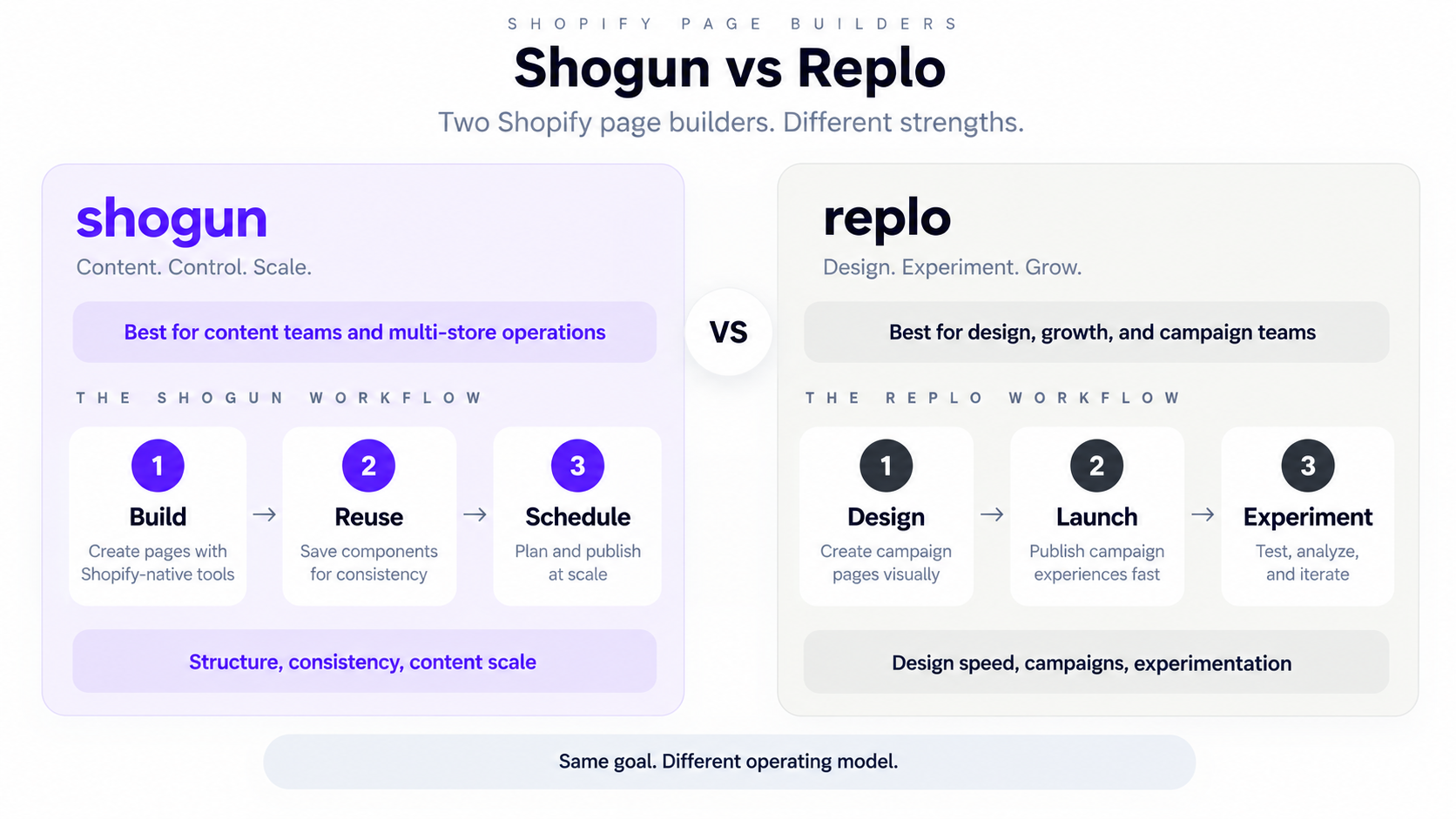
A Shogun-oriented process looks like:
Plan → build → reuse → schedule → manage across pages or stores.
A Replo-oriented process looks more like:
Design → launch → create variants → test → analyze → iterate.
Neither workflow is universally better. The right fit depends on whether storefront governance or campaign iteration consumes more of the team’s time.
Final Verdict
Shogun and Replo overlap on visual page building, Shopify integration, reusable components, product-page customization, and custom development, but their strongest use cases are different.
Shogun is the more accessible option for merchants who want capable page building plus structured storefront-content management. Its lower entry price, reusable content, Shopify section workflows, scheduling, and higher-tier multi-store tools make it particularly relevant to content-heavy ecommerce operations.
Replo is better aligned with teams where creative production and experimentation are part of the growth engine. Its design-oriented editor, Figma workflow, reusable component system, and paid-plan A/B testing fit brands that continually create and optimize campaign experiences.
The decision comes down to operating model: Shogun for structured storefront management; Replo for design-led campaign production and experimentation.
Frequently Asked Questions
Is Shogun cheaper than Replo?
Yes at current standard monthly entry prices. Shogun Build is $39/month and includes 25 published pages, while Replo Starter is $119/month and includes 15 published items. Pricing can change, so merchants should confirm current terms before purchasing.
Does Replo have a free plan?
Replo provides a free build-and-preview option, but publishing to Shopify requires a paid plan.
Does Shogun have a free plan?
Shogun provides a free Draft Mode for creating pages without publishing them. A paid plan is required to publish Shogun pages.
Can Replo import Figma designs?
Yes. Replo provides a dedicated Figma-to-Replo workflow. Designs built with responsive Auto Layout structure generally translate more cleanly than unstructured Figma layouts.
Can Shogun work with Shopify sections?
Yes. Shogun supports workflows for importing compatible Shopify Online Store 2.0 sections and creating sections that can be used through Shopify’s Theme Editor.
Does Replo include A/B testing?
Replo documents A/B testing as part of its paid workflow, connecting page variants with experimentation and analytics.
Does Shogun include A/B testing?
New Shopify users need to pay attention to the current product structure. Shogun states that Page Builder A/B testing is not available to new Shopify users who first installed after November 12, 2025; those merchants are directed to its separate A/B Testing app.
Which is better for landing pages?
Both can build Shopify landing pages. Shogun offers a lower-cost path and stronger structured content-management features, while Replo is more closely aligned with Figma-led design, campaign variants, and experimentation.
Explore More Shopify Page Builders
Shogun and Replo are only two approaches to custom Shopify page building. Merchants comparing the broader market should also consider how PageFly, GemPages, EComposer, and other builders differ on publishing limits, CRO tooling, templates, integrations, and pricing.