
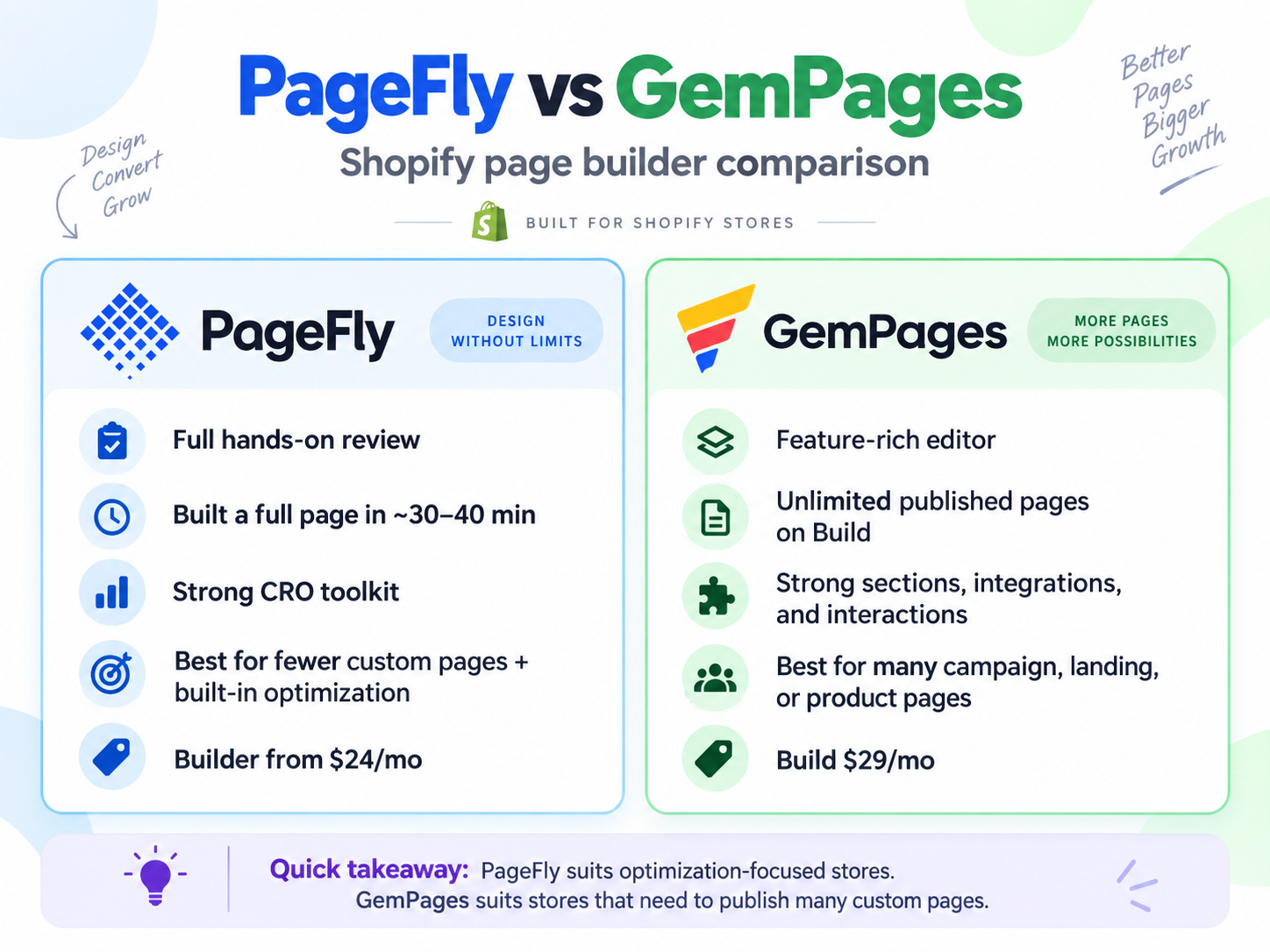
PageFly and GemPages both give Shopify merchants more design freedom than a standard theme editor, but they are built around slightly different priorities.
PageFly combines visual page building with a stronger emphasis on CRO and optimization tools. GemPages combines a feature-rich editor with generous publishing capacity, ecommerce-focused sections, integrations, interactions, and AI-assisted page creation.
The practical choice comes down to your workflow: PageFly is a strong fit when optimization tools matter alongside page building, while GemPages is attractive when you expect to create and manage many custom pages.
Key Takeaways
- PageFly is strong for page building plus optimization: Its toolkit includes analytics, A/B testing features, heatmaps, AI Page Checkup, and other CRO tools across its plan structure.
- GemPages is strong for higher page volume: Its Build plan includes unlimited published pages.
- PageFly combines page building with optimization tools: Its current product structure brings visual editing, responsive controls, analytics, testing features, heatmaps, and page-improvement tools into one ecosystem.
- GemPages offers a deeper editor: Sections, Elements, interactions, app integrations, funnels, and Image-to-Layout give merchants several ways to build.
- Pricing is close at the entry paid level: PageFly Builder starts from $24/month, while GemPages Build is $29/month, but their publishing limits differ.
Quick Comparison
| Area | PageFly | GemPages |
|---|---|---|
| Free publishing | 1 published slot | 1 published page |
| First paid plan | Builder from $24/month | Build $29/month |
| Publishing on first paid tier | Limited published slots | Unlimited published pages |
| Visual editor | Sections, elements, Shopify blocks, app blocks | Sections, Elements, app blocks, interactions |
| AI approach | AI page creation plus AI optimization tools | Image-to-Layout plus AI tools |
| CRO focus | Analytics, testing, heatmaps, page checkup, and related tools | Funnels, conversion-focused sections, and ecommerce tools |
| App integrations | Shopify and compatible third-party blocks | Searchable app integrations in the editor |
| Best fit | Stores wanting page building plus built-in optimization | Stores expecting to create many custom pages |
Our Verdict
PageFly and GemPages are both capable Shopify page builders, but they solve the buying decision differently.
Choose PageFly when you want a visual builder that stays closely connected to CRO and page optimization. Its current product structure combines templates and visual editing with analytics and optimization tools around the page-building workflow.
Choose GemPages when publishing capacity and editor depth are more important. The Build plan includes unlimited published pages, while the editor gives merchants access to ecommerce sections, granular Elements, interactions, app integrations, funnels, and Image-to-Layout.
For a store that only needs a smaller set of custom pages, PageFly’s lower starting paid price may be enough. For a store producing many landing, campaign, or product pages, GemPages’ unlimited publishing on Build becomes a meaningful advantage.
How This Comparison Was Evaluated
This comparison uses Blinto’s existing PageFly and GemPages review evidence together with current product and pricing information.
For PageFly, this comparison reviews current official product information covering onboarding, template-based page creation, editing blocks, responsive controls, publishing options, and CRO tools such as analytics, A/B testing features, AI Page Checkup, heatmaps, and Section Performance.
For GemPages, this comparison reviews current official product information covering page-creation options, Sections and Elements, interactions, Shopify app integrations, Image-to-Layout, funnels, and pricing.
The comparison focuses on the merchant decisions that matter most: workflow structure, design control, publishing capacity, available optimization tools, and what each paid plan includes.
Starting and Building a Page
Both builders give merchants several ways to avoid starting every page from scratch.
PageFly offers templates, AI-assisted creation, imports, existing-page workflows, and a visual editor built around sections and elements. Its product structure is oriented around building pages visually and then extending them with optimization features.
The editor supports common content such as headings, text, buttons, images, video, icons, Shopify blocks, PageFly elements, and compatible app blocks.
GemPages also offers several ways to start. Merchants can work from a blank page, use templates, import page files, and use additional creation tools. Its editor separates larger reusable Sections from smaller Elements, giving merchants both fast starting points and more granular design control.
GemPages’ section library is strongly ecommerce-oriented, with page-building patterns for heroes, product information, guarantees, social proof, how-to content, before-and-after layouts, and other common sales-page structures.
Ease of Use
PageFly presents a relatively focused page-building workflow around templates, sections, elements, responsive controls, and optimization tools.
Its editor is designed around visual controls rather than requiring custom code for standard page construction, and responsive controls are available directly in the editor.
GemPages exposes more tools inside the overall page-building environment. That broader feature set gives merchants more flexibility, but it also means there is more to learn across Sections, Elements, interactions, integrations, funnels, and AI tools.
For merchants who want a relatively direct build-and-optimize workflow, PageFly has a clear appeal. For merchants who want more editor depth and are comfortable with a broader toolset, GemPages is compelling.
Responsive Editing
Both PageFly and GemPages provide device controls for working across desktop, tablet, and mobile layouts.
PageFly provides responsive views directly inside the editor so merchants can inspect layouts across device sizes while editing.
GemPages also places device controls in the editor, alongside its Sections and Elements workflow.
Whichever builder you use, responsive review should be part of the publishing process rather than an afterthought. A custom landing page can look very different once content wraps, images resize, and Shopify app blocks appear on smaller screens.
PageFly and Shopify Theme Compatibility
One practical PageFly consideration is how PageFly content interacts with areas that remain controlled by the Shopify theme.
Theme-controlled areas can remain alongside PageFly content, so merchants may need to coordinate styling between the Shopify theme and the PageFly-built sections.
That does not reduce PageFly’s usefulness for standalone landing pages, sales pages, or campaign pages, but it means a full homepage redesign can require coordination between PageFly and Shopify’s theme editor.
For any page builder, merchants planning a full storefront redesign should check the header, footer, theme-controlled sections, and app blocks together before rebuilding every page.
Shopify App Integrations
Shopify stores rarely use a page builder alone. Reviews, subscriptions, bundles, upsells, loyalty apps, and other tools may all need to appear inside custom pages.
GemPages makes app discovery particularly visible with a searchable integration area inside the editor. Its current integration options include review apps such as Loox, Judge.me, Fera, Yotpo, Stamped, Opinew, Rivyo, and Ryviu.
PageFly also supports Shopify blocks and compatible third-party app blocks within its page-building workflow.
If a store depends on a specific app, the useful question is not simply whether the integration name appears in the builder. Check that the exact widget, block, or customer interaction you need fits the page design before rolling the builder out across important product pages.
AI Page Building
The two products take different approaches to AI.
PageFly combines AI-assisted page creation with optimization-oriented AI tools. Its AI Page Checkup fits the broader PageFly strategy of building a page and then improving it.
GemPages’ Image-to-Layout gives merchants a more visual starting point. It can use a URL or uploaded image as the basis for a layout, which is useful when you already have a design reference and want to turn that visual direction into an editable page.
The better AI approach depends on the workflow you prefer:
- PageFly: useful when AI-assisted creation and page optimization belong in the same workflow.
- GemPages: useful when a visual reference is the starting point for building a layout.
CRO and Optimization
PageFly places stronger emphasis on CRO as part of the core product experience.
Its toolkit includes analytics, A/B testing features, heatmaps, AI Page Checkup, Section Performance, Cart Drawer functionality, and other optimization tools across the current plan structure.
That makes PageFly attractive to stores that do not want page design to stop at publishing. The product encourages merchants to keep measuring and improving what happens after a page goes live.
GemPages also supports conversion-focused work through sales funnels, ecommerce sections, interactions, and related tools. Its editor is particularly strong for merchants who want to build many custom sales experiences and manage them from one page-building system.
Pricing and Value
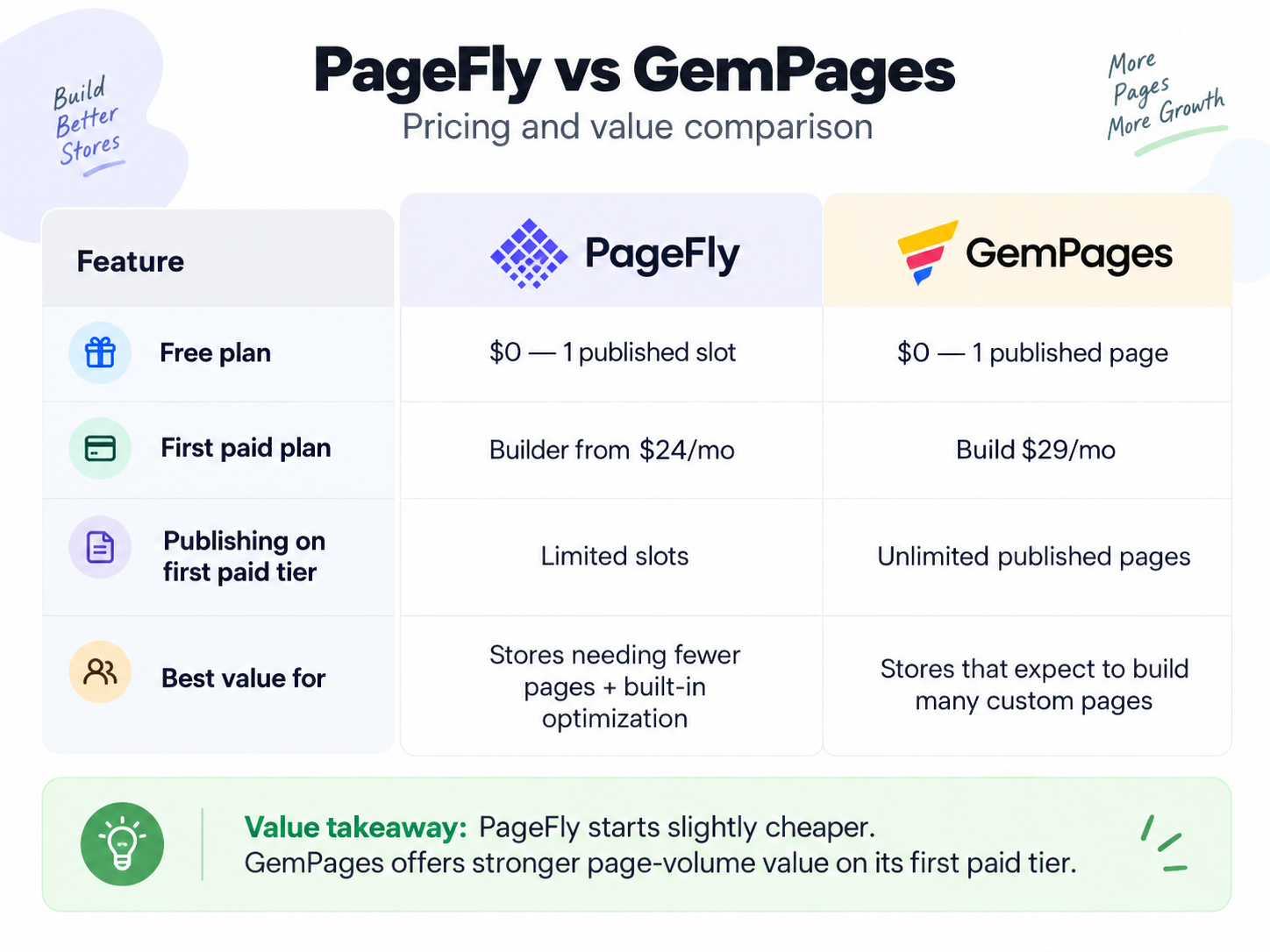
Current pricing checked on September 22, 2026 shows a small difference in entry paid price but a much larger difference in publishing capacity.
| Plan level | PageFly | GemPages |
|---|---|---|
| Free | $0 | $0 |
| First paid tier | Builder from $24/month | Build $29/month |
| Next tier | Optimize from $39/month | Optimize $59/month |
| Higher tier | Accelerate $99/month | Enterprise $199/month |
| Additional PageFly tier | Power $199/month | — |
PageFly’s Free plan includes one published slot. Builder starts from $24/month with a limited number of published slots, and higher tiers expand publishing capacity and CRO functionality.
GemPages Free includes one published page. Build costs $29/month and includes unlimited published pages, making it especially relevant for stores that expect to create a larger number of custom pages.
The entry price difference is only $5, but the plans are not equivalent.
PageFly Builder is attractive when you need fewer custom pages and value PageFly’s broader optimization workflow.
GemPages Build is attractive when page volume is a major part of the buying decision.
Pricing and plan limits can change, so merchants should verify the current plan before subscribing.
What We Like About PageFly
- Focused template-based workflow: Templates, sections, elements, responsive controls, and optimization tools are organized around a direct page-building process.
- Clear visual editing: Sections, elements, Shopify blocks, and app blocks give merchants more freedom than a standard theme alone.
- Built-in CRO direction: Analytics, testing, heatmaps, AI Page Checkup, and related tools support optimization after launch.
- Responsive controls: Desktop, tablet, and mobile views are available inside the editing workflow.
- Lower starting paid price: Builder currently starts from $24/month.
What Could Be Better About PageFly
- Publishing capacity scales by plan: Builder begins with limited slots rather than unlimited pages.
- Homepage redesigns can require theme coordination: Theme-controlled content may need extra work to match the PageFly design.
- AI usage is plan-dependent: Merchants using AI heavily should compare credit allowances before choosing a tier.
What We Like About GemPages
- Unlimited publishing on Build: This is a major advantage for stores creating many custom pages.
- Ecommerce-focused Sections: Merchants can start with layouts built around common product and sales-page needs.
- Granular Elements: The editor supports deeper control when a ready-made section is not enough.
- Searchable app integrations: Compatible Shopify apps can be found while building.
- Interactions and funnels: These extend the product beyond static page design.
- Image-to-Layout: Merchants can begin from a visual reference rather than only a blank canvas or template.
What Could Be Better About GemPages
- Free is limited to one published page: Ongoing multi-page use quickly points toward a paid plan.
- There is more to learn: The broader editor and feature set create a larger learning surface.
- Advanced workflows add complexity: Interactions, funnels, integrations, and AI are useful, but merchants still need a clear page-building process to avoid overcomplicating layouts.
Which Builder Fits Which Use Case?
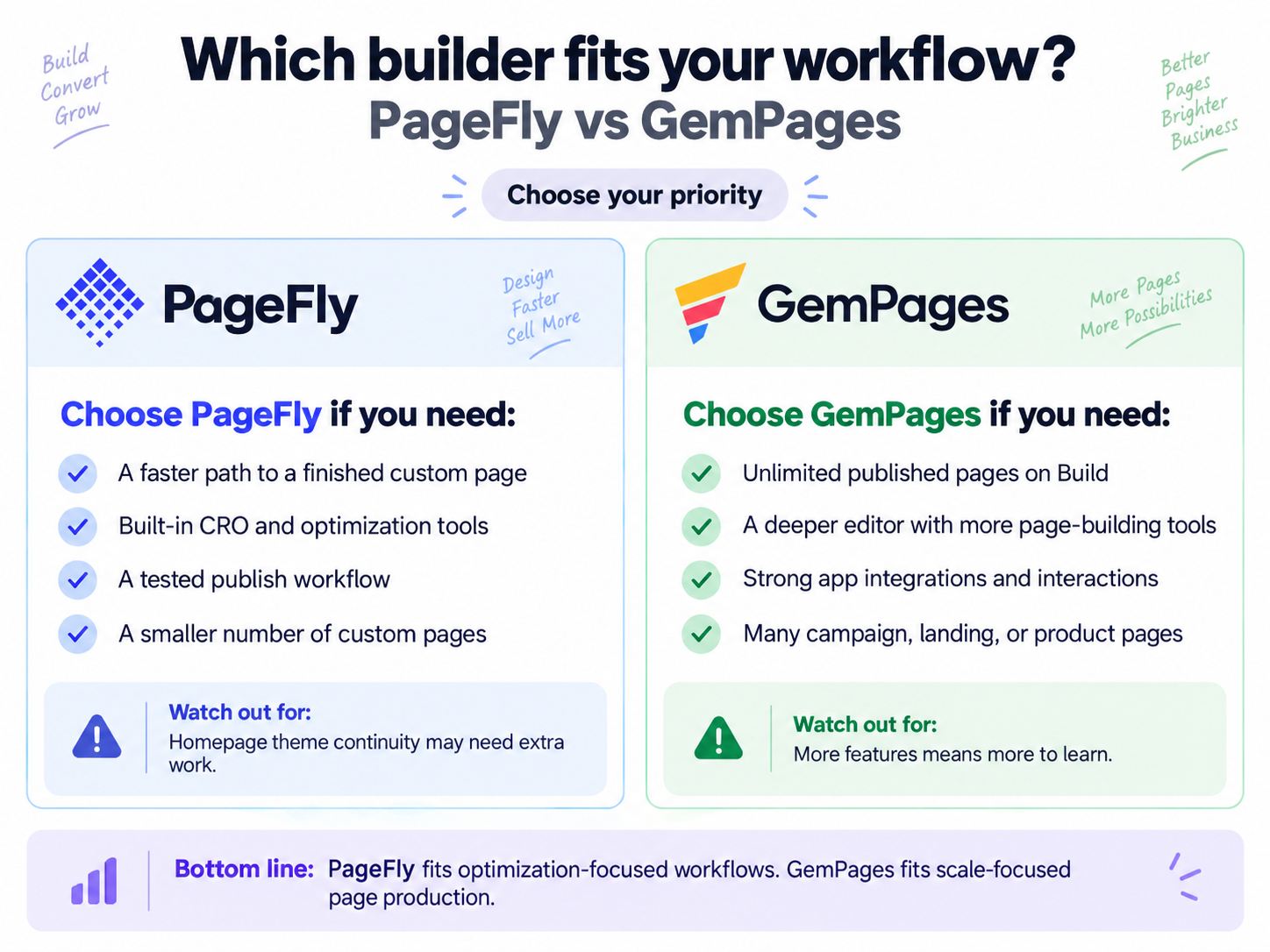
| Use case | Better fit | Why |
|---|---|---|
| A smaller number of custom landing pages | PageFly | Lower starting paid price and strong optimization workflow |
| Many published campaign or product pages | GemPages | Build includes unlimited published pages |
| Built-in CRO workflow | PageFly | Analytics, testing, heatmaps, and page-checkup tools |
| Deep ecommerce section library | GemPages | Strong selection of reusable sales-oriented sections |
| In-editor app discovery | GemPages | Searchable app integrations are built into the editor workflow |
| Optimization after publishing | PageFly | CRO tools are a major part of the product positioning |
| High-volume page production | GemPages | Unlimited publishing starts at the Build tier |
| Visual-reference AI workflow | GemPages | Image-to-Layout can begin from a URL or uploaded image |
PageFly or GemPages for Landing Pages?
Both are well suited to landing-page creation.
PageFly is appealing when the store wants to build a smaller set of campaign pages and then use built-in tools to analyze and optimize them.
GemPages becomes especially attractive when a team expects to create many landing pages because unlimited publishing begins at its $29 Build tier.
The choice is therefore less about whether either app can make a landing page and more about how many pages you will maintain and what you want to do after publishing them.
PageFly or GemPages for Product Pages?
Both products support custom Shopify product-page workflows.
GemPages stands out for ecommerce-focused sections and its searchable app-integration workflow. That can be useful for product pages that depend on reviews, upsells, and other Shopify apps.
PageFly stands out for flexible blocks plus its broader CRO toolkit, which can be useful when the product-page workflow includes ongoing analysis and optimization.
For stores where product pages depend heavily on third-party apps, test those critical blocks as part of the design process regardless of which builder you choose.
PageFly or GemPages for a Full Homepage Redesign?
A full homepage is more complicated than a standalone landing page because the Shopify theme may still control areas such as navigation, headers, and footers.
When PageFly content is used alongside theme-controlled areas, merchants may need additional styling work to keep the full page visually consistent.
That is a useful reminder for either builder: before replacing an entire homepage, check the page builder together with the theme-controlled areas so the final storefront feels like one design system rather than several separate layers.
Final Verdict
PageFly and GemPages are both capable Shopify page builders, but their value becomes clearer when you separate optimization from page-production scale.
PageFly is a strong fit for merchants who want a relatively direct page-building workflow plus built-in CRO and optimization tools. It is especially attractive when the store needs a smaller number of custom pages and wants analytics, testing, heatmaps, and page-improvement tools around them.
GemPages is a strong fit for merchants who expect to create many custom pages and want a deeper page-building workspace. Unlimited publishing on Build, ecommerce-focused Sections, Elements, integrations, interactions, funnels, and Image-to-Layout make it well suited to higher-volume page production.
If your main question is “How do I build and optimize a focused set of pages?”, PageFly aligns well with that workflow.
If your main question is “How do I create and manage many custom pages without paying for each publishing slot?”, GemPages’ Build plan has a clear structural advantage.
Frequently Asked Questions
Is PageFly better than GemPages?
Neither is universally better. PageFly is more optimization-focused, while GemPages is more attractive for stores that need unlimited publishing and a deeper editor. The better fit depends on page volume and the tools you want around the page-building process.
Which is easier to use?
PageFly presents a more focused builder-plus-optimization workflow, while GemPages exposes a broader set of page-building tools. That broader toolset can provide more flexibility, while also giving merchants more features and controls to learn.
Do PageFly and GemPages have free plans?
Yes. PageFly Free includes one published slot, while GemPages Free includes one published page. Both are useful for evaluating the editor before moving to a paid plan.
Which is better for many landing pages?
GemPages has the stronger page-volume proposition because Build includes unlimited published pages. PageFly becomes more attractive when the store values its CRO and optimization toolkit more than raw publishing capacity.
Which has better AI features?
They emphasize different workflows. PageFly combines AI-assisted page creation with AI Page Checkup and optimization tools. GemPages’ Image-to-Layout can start from a URL or uploaded image. Choose based on whether you prefer optimization-focused AI or a visual-reference creation workflow.
Which has stronger CRO features?
PageFly places more emphasis on built-in CRO tools, including analytics, A/B testing features, heatmaps, AI Page Checkup, and related optimization capabilities across its plan structure.