
If you want one Shopify app for cart offers, product suggestions, bundles, search, checkout offers, and post-purchase tools, Rebuy Personalization Engine puts all of them in one place.
In this Rebuy Personalization Engine review, we focus on what we could verify in the app. We also explain its pricing model, main strengths, and limits.
We spent our time exploring Rebuy in a Shopify test store. We checked its main screens and tools. The dashboard felt neat and easy to use, and we saw no clear errors while browsing.
Our test had limits. We did not publish Rebuy on a live store or measure sales results. So this review focuses on the setup, layout, tools, and our hands-on experience with the admin.
Key Takeaways
- Rebuy’s dashboard felt organized and easy to navigate.
- Rebuy offers tools for cart offers, bundles, search, checkout, post-purchase offers, testing, and more.
- We did not encounter obvious bugs during our test.
- We did not fully configure or publish Rebuy features.
- We did not verify any increase in sales, AOV, or conversions.
- Rebuy’s pricing can increase as monthly order volume grows.
Our Verdict
Rebuy is a broad Shopify personalization app, not just a basic upsell tool.
The dashboard stood out in our test. Its main areas were easy to find, even though Rebuy has many tools. Moving between Smart Cart, bundles, reports, and other sections felt simple.
The trade-off is depth. A new user still has many settings to learn. Rebuy makes more sense for stores that want several sales and personalization tools in one place. A store that needs only a basic upsell may prefer a simpler app.
We did not test sales lift, conversion lift, or AOV changes.
What Is Rebuy Personalization Engine?
Rebuy Personalization Engine is a Shopify app for product discovery, merchandising, upsells, and personalization.
It includes tools for product recommendations, cart offers, bundles, search, checkout, post-purchase offers, testing, and reporting.
Rebuy separates many of these tools into four main areas:
- Cart & Merchandising
- Search & Collections
- Checkout & Post-Purchase
- Flows & A/B Testing
Rebuy Monetize is another part of the platform.
The layout also makes it clear that Rebuy is designed to cover more than one stage of the buying journey.
What Did Blinto Test?
We spent our time exploring Rebuy in our Shopify test store.
We checked the dashboard, Smart Cart, widgets, Bundle Builder, checkout tools, post-purchase tools, search, tests, reports, integrations, and store data.
We did not launch a Smart Cart, build a live bundle, publish an offer, or run an A/B test. The test store also had no useful sales data. For that reason, we do not make claims about revenue, conversion rate, or AOV.
Dashboard and Navigation
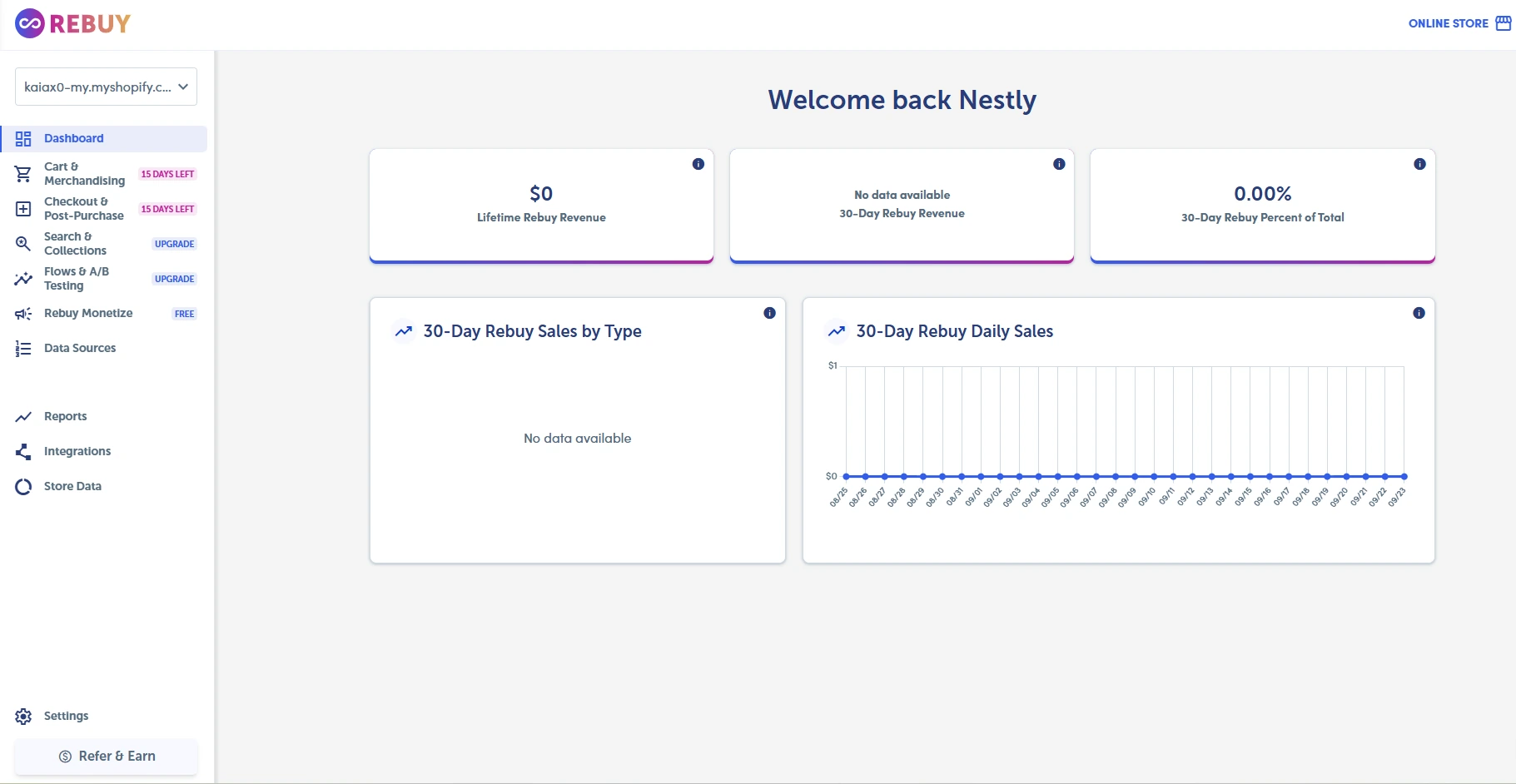
The dashboard was one of the strongest parts of our experience.
Rebuy has many features, but we found the interface easy to navigate. The sidebar groups the main tools into clear sections.
We could move between cart tools, checkout, reports, integrations, and store data with little effort. We also saw no clear errors while browsing.
Setup is a different matter. Each tool has its own options, so learning the full app will take more time.
Smart Cart and Merchandising
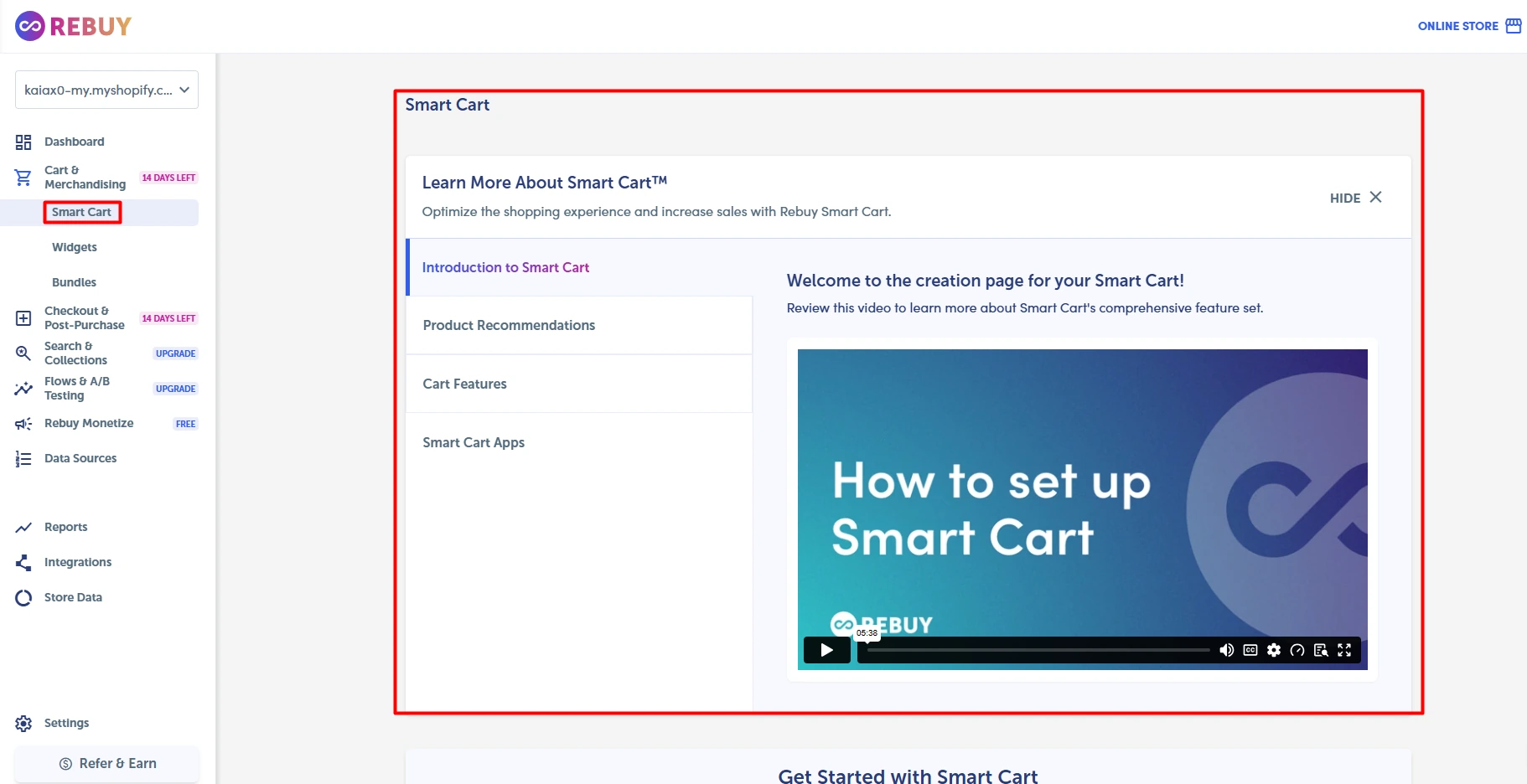
Smart Cart is Rebuy’s main area for building a more active cart experience.
The Smart Cart section includes an introduction and guidance for product recommendations, cart features, and related apps.
We found this area easy to locate from the main navigation.
Rebuy also puts several merchandising tools in the same part of the platform. This may be useful for merchants who want to manage different cart experiences without jumping between several apps.
However, we did not configure and publish a Smart Cart. We therefore cannot judge how it performs on a live storefront.
Product Recommendation Widgets
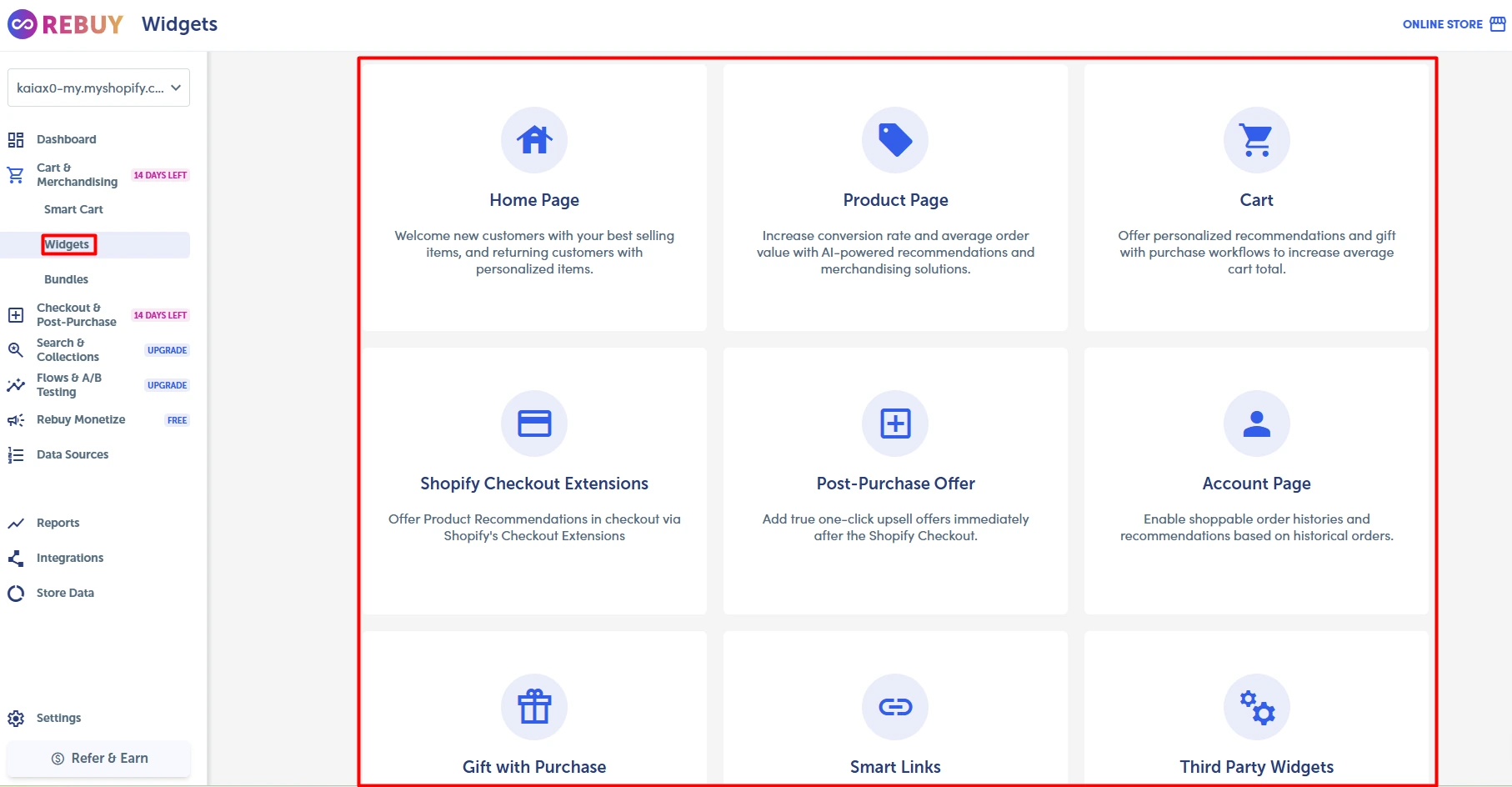
Rebuy provides widgets for several parts of the shopping journey.
During our test, the dashboard showed options for the home page, product pages, cart, checkout, post-purchase, account pages, gifts, Smart Links, and third-party widgets.
Recommendations are not limited to the cart. Rebuy lets merchants place them at several points in the buying journey, all from one area.
We reviewed the options but did not publish the widgets on a live store.
Bundle Builder
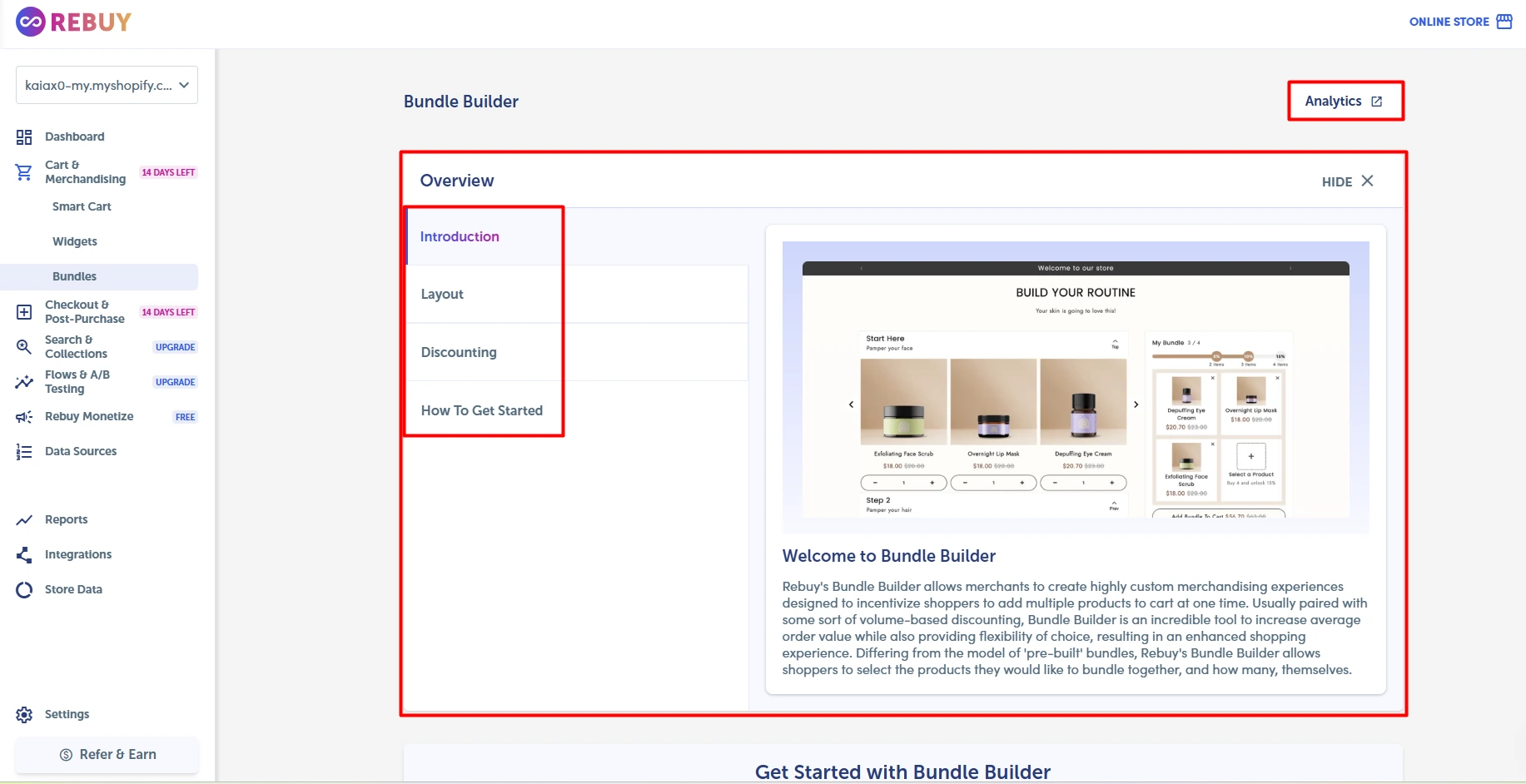
Rebuy also provides a Bundle Builder.
The section includes guidance on layouts, discounts, and getting started. There is also an analytics option for bundles.
For merchants, this creates another place to group related products and offer bundle discounts.
We inspected the Bundle Builder but did not create and publish a bundle. Because of that, we cannot judge the customer experience or its effect on sales.
Checkout and Post-Purchase
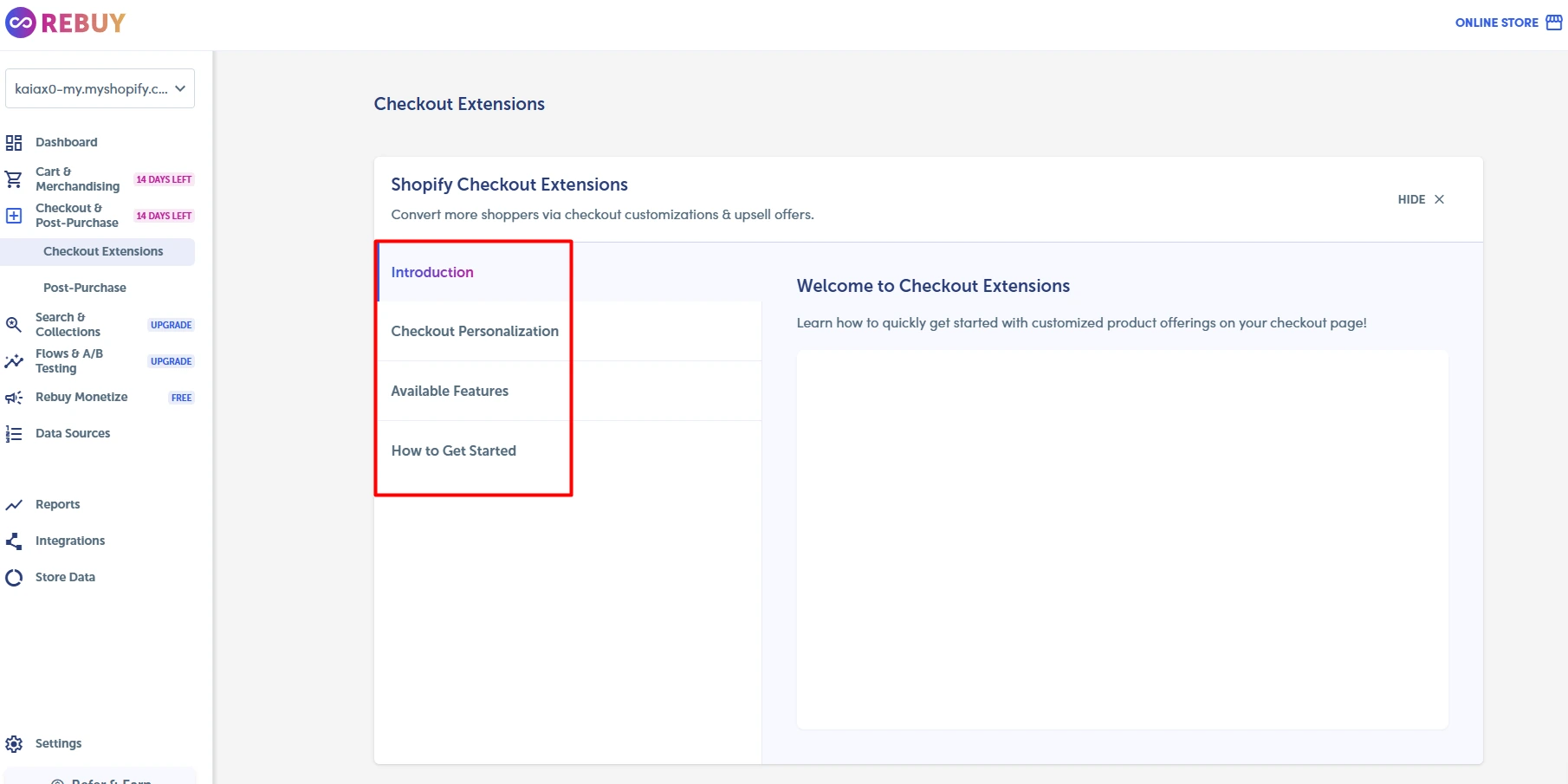
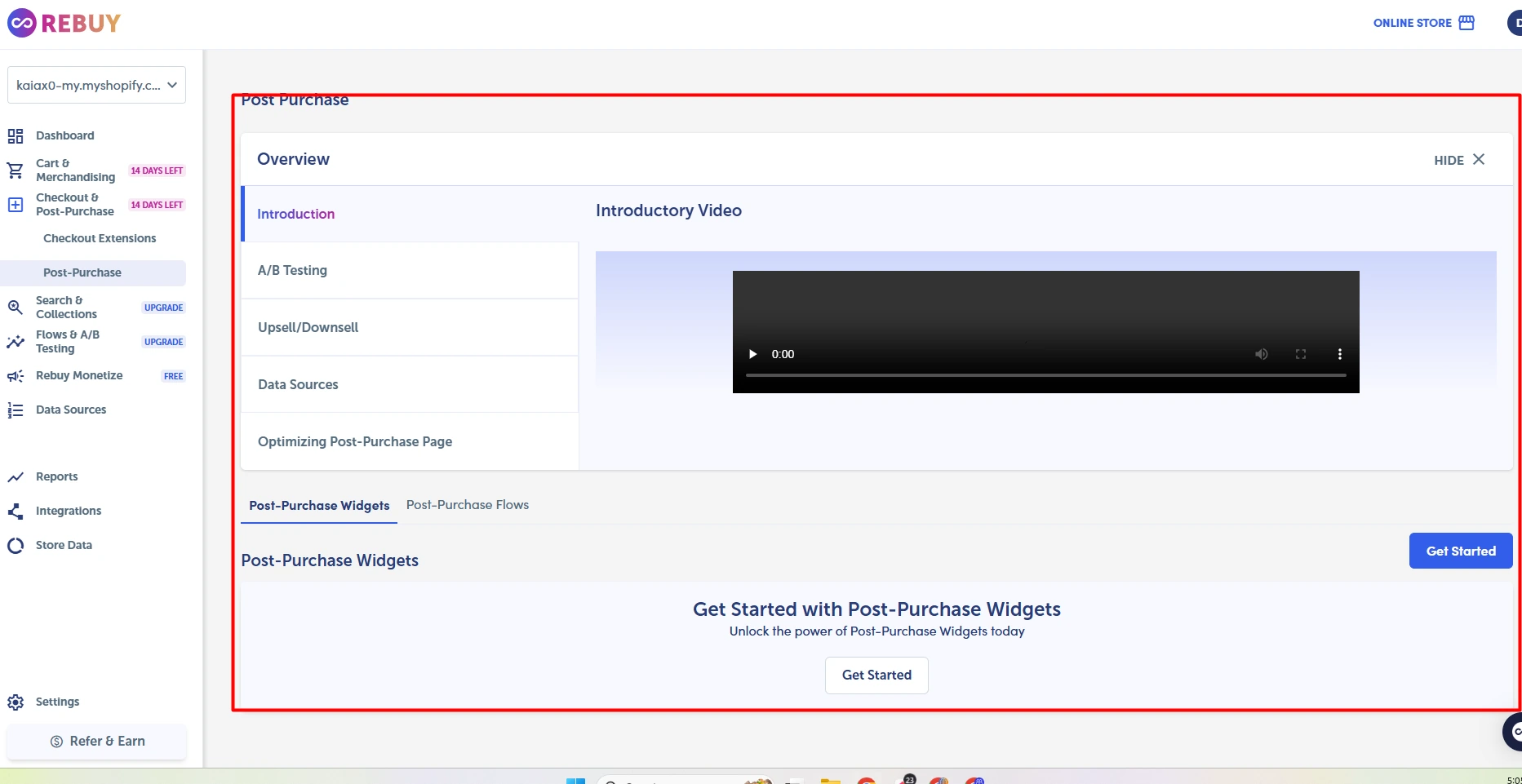
Rebuy also extends its offer tools into checkout and the post-purchase stage.
The Checkout Extensions section provides an introduction, available features, personalization options, and setup guidance.
The post-purchase area includes options for upsells, downsells, A/B testing, and data sources.
Both sections were easy to find during our test.
We did not configure a checkout extension or process enough orders to test post-purchase offers. We therefore cannot judge offer acceptance rates or additional revenue.
Search & Collections
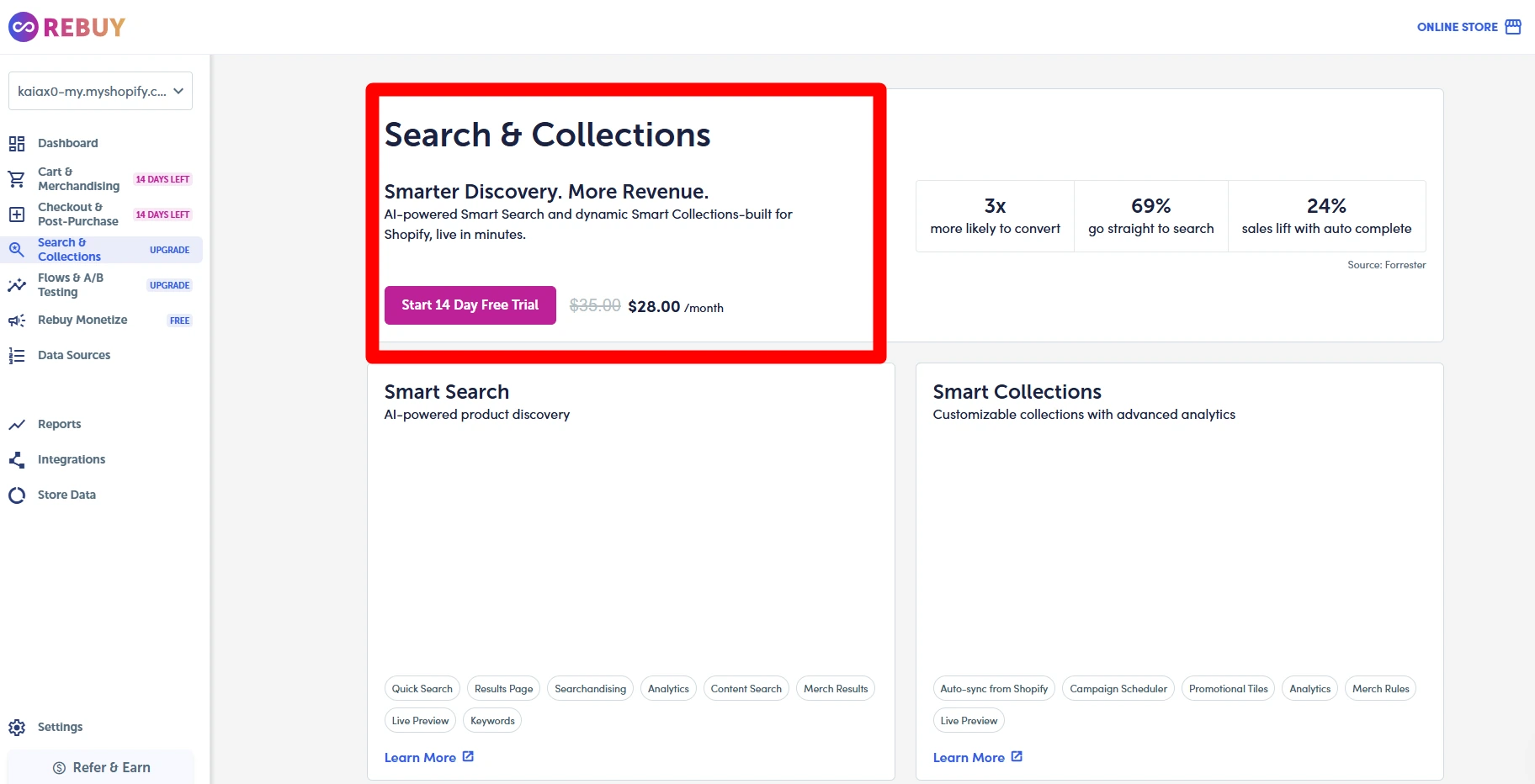
Rebuy also offers search and collection tools.
This takes Rebuy beyond cart and checkout offers. Its dashboard promotes Smart Search and Smart Collections as tools for product discovery.
We did not turn search on for a live store. We therefore cannot judge its search quality or its effect on sales.
Flows and A/B Testing
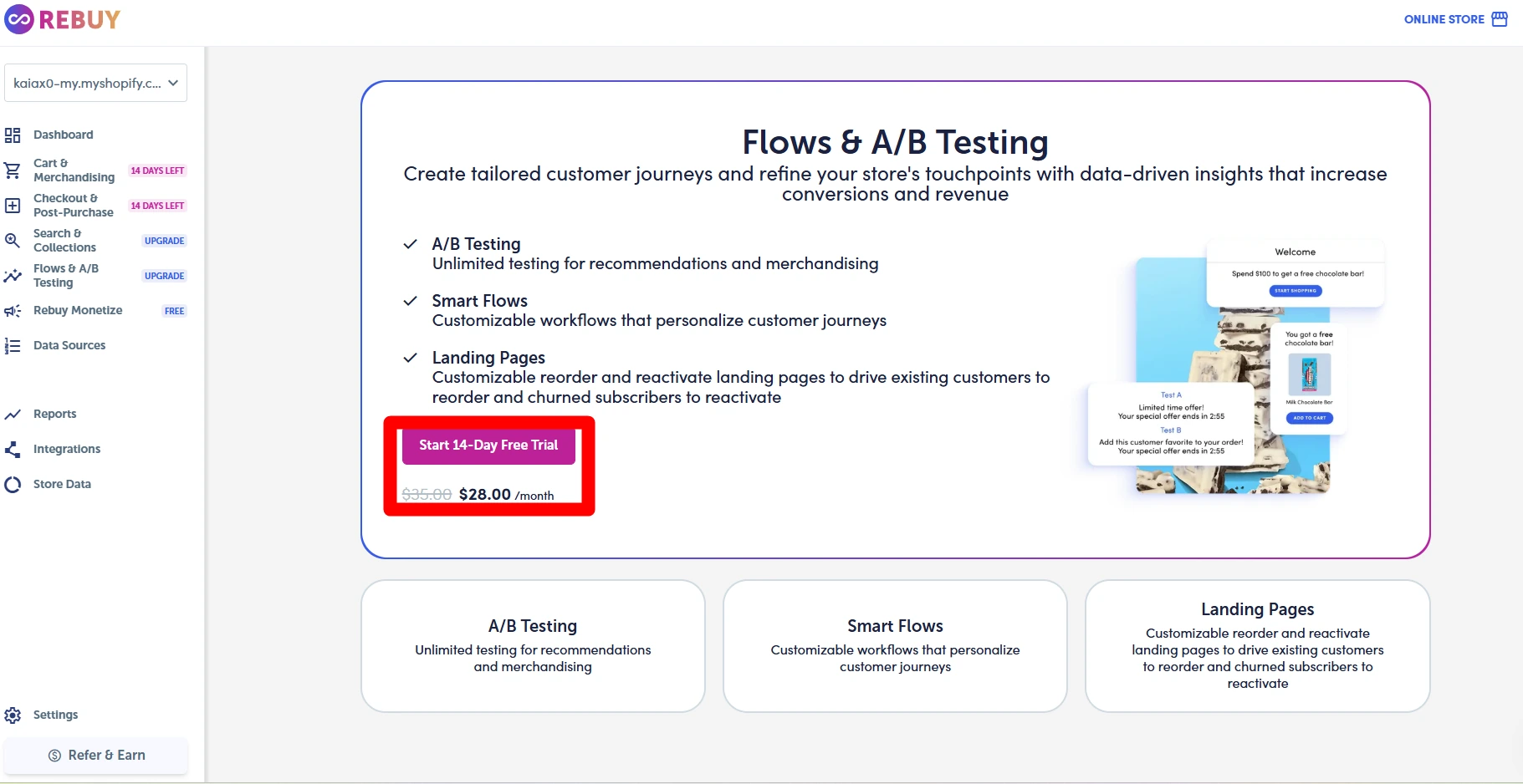
Rebuy includes tools for flows and A/B testing.
The section we viewed included A/B Testing, Smart Flows, and Landing Pages.
These tools can be used to compare offers and store experiences. We did not run a test, so we cannot judge the results or the effect on store sales.
Data Sources
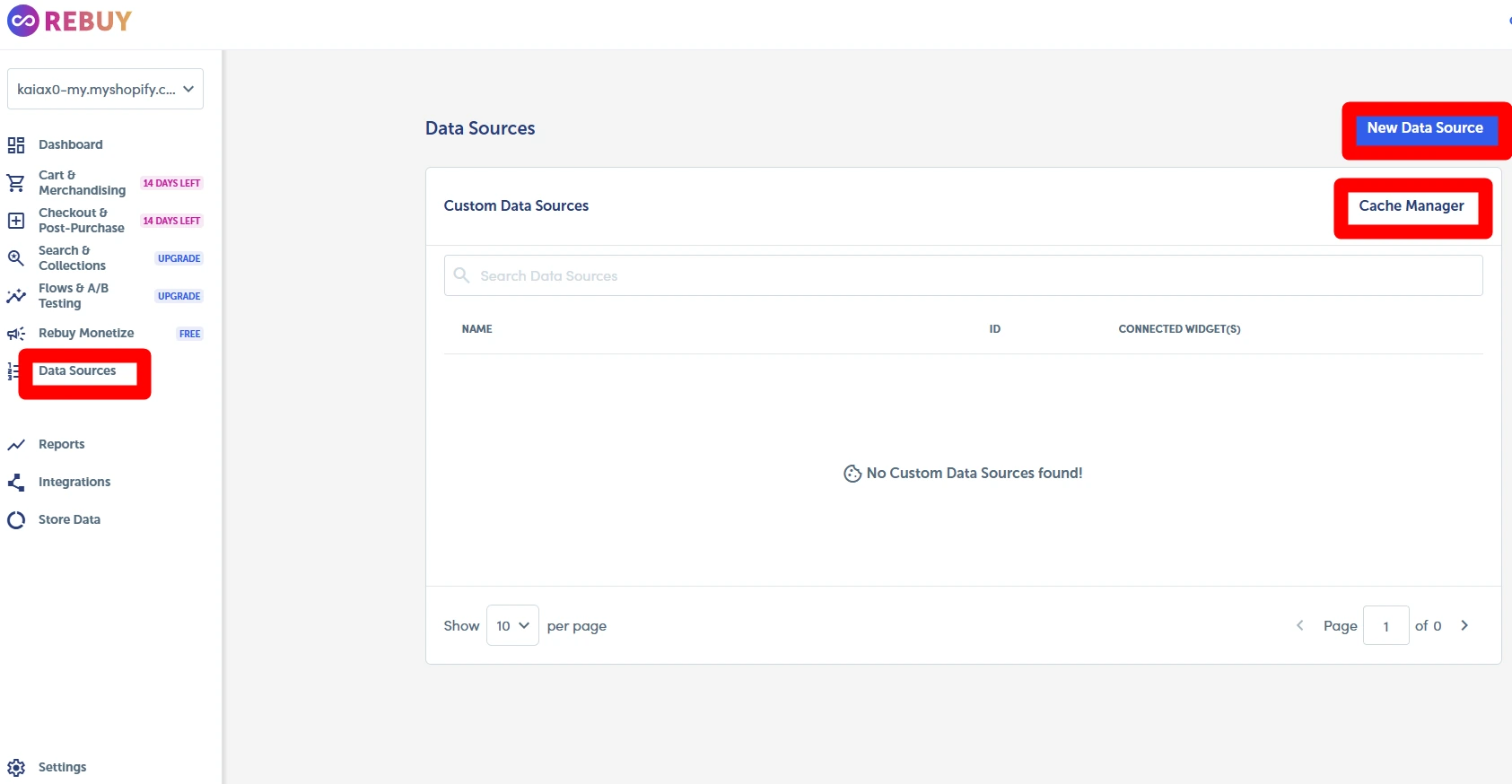
Rebuy also has a Data Sources section.
During our test, there were no custom data sources in our account. The interface gave us options to create a new data source or use the Cache Manager.
This area gives users more control over recommendation data. It may be useful for advanced setups, but it also adds another step for new users.
We did not create a custom data source.
Reporting and Analytics
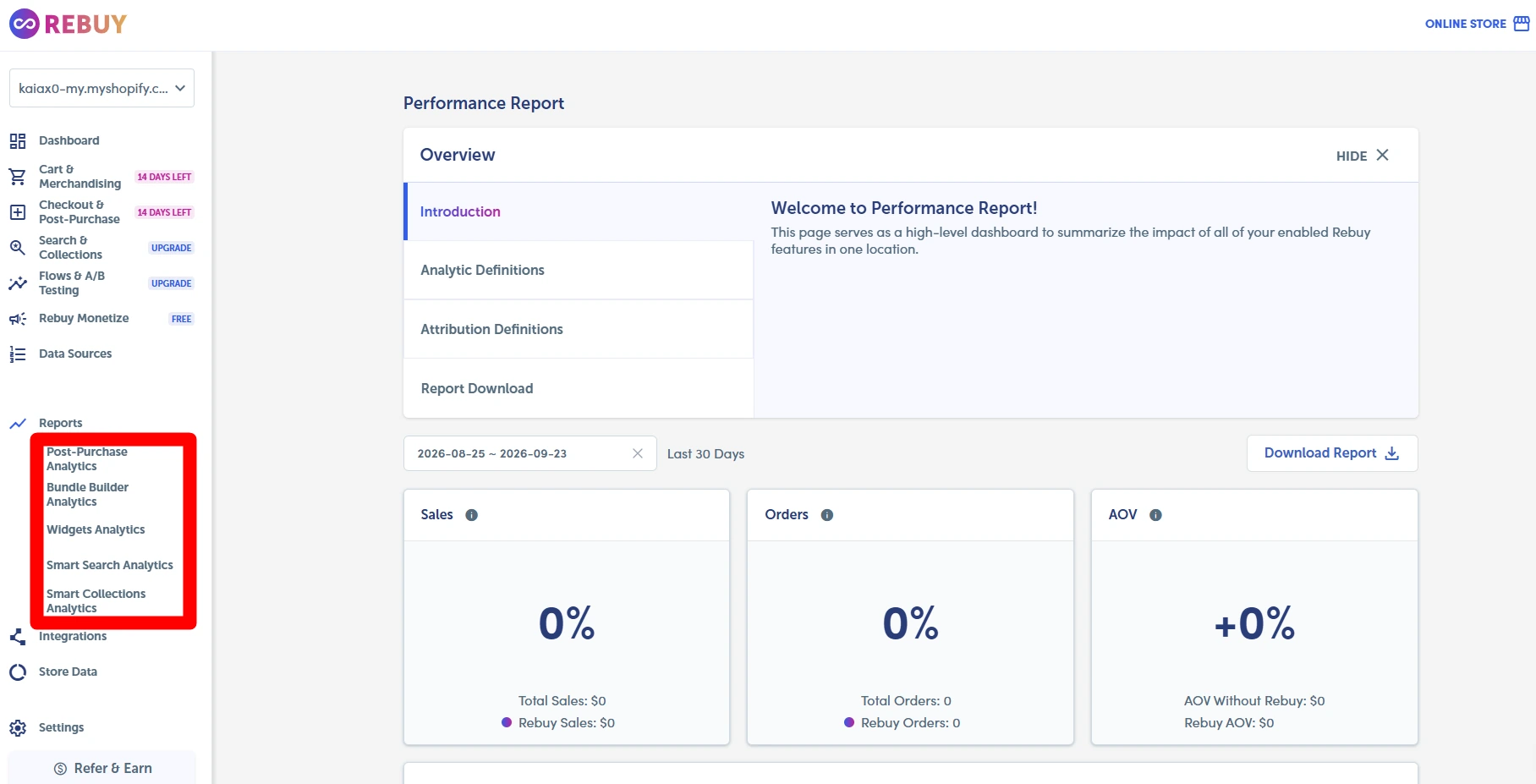
Rebuy includes reports for tracking sales and order activity linked to its tools.
The Performance Report we viewed included sales, orders, AOV, total sales, Rebuy sales, and related metrics.
Our test account had $0 in sales and zero orders for the period shown. There was therefore no useful performance data to analyze.
So the report cannot show whether Rebuy raised sales or AOV in our store. The report itself was easy to find and read.
Integrations
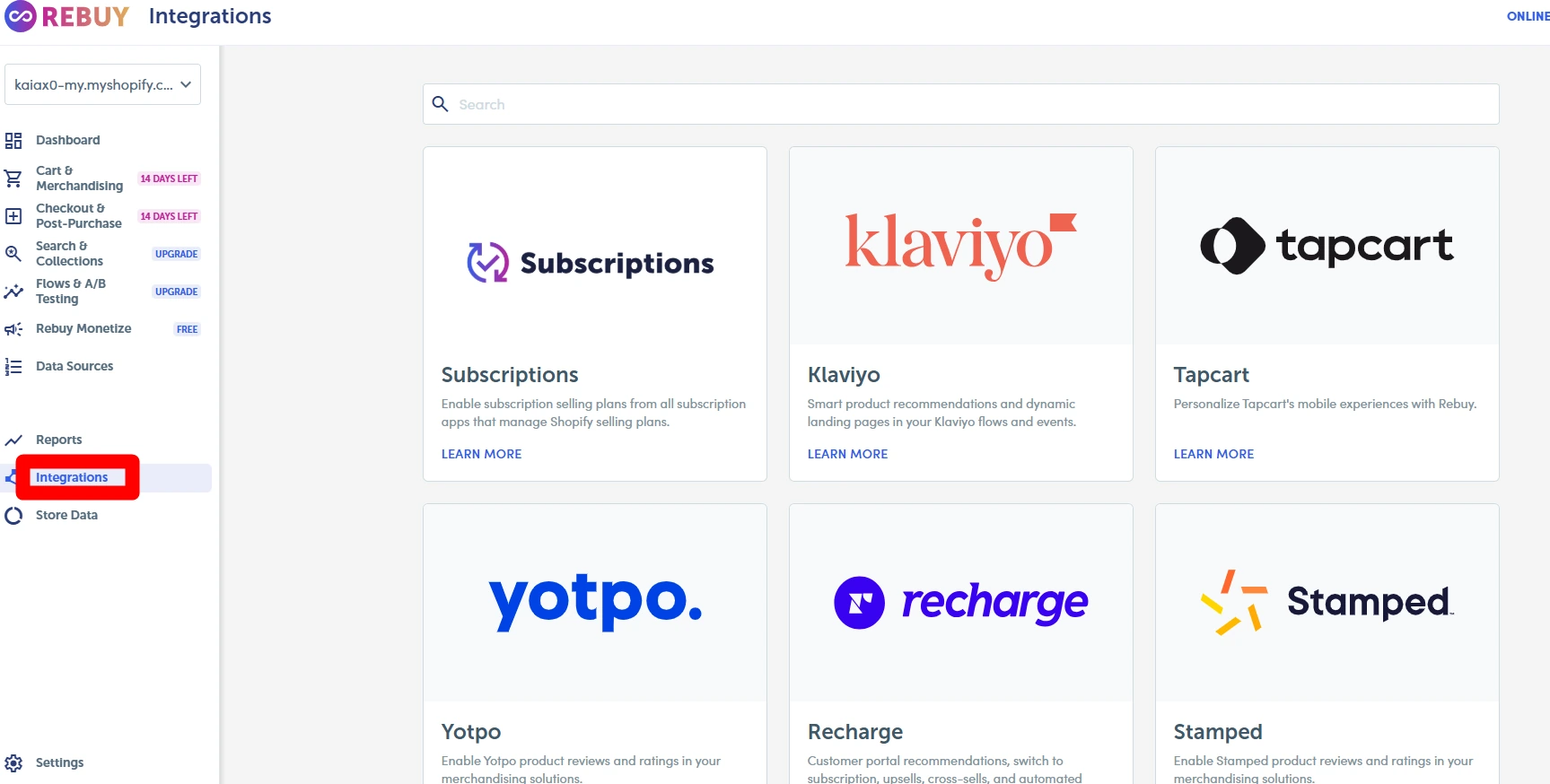
Rebuy has a dedicated area for connecting other ecommerce services.
During our test, we could see integrations for services such as Klaviyo, Tapcart, Yotpo, Recharge, and Stamped.
The list is useful for stores that already use other ecommerce apps. We did not connect these services, so we did not test them end to end. Check current support if one integration is vital to your store.
Store Data
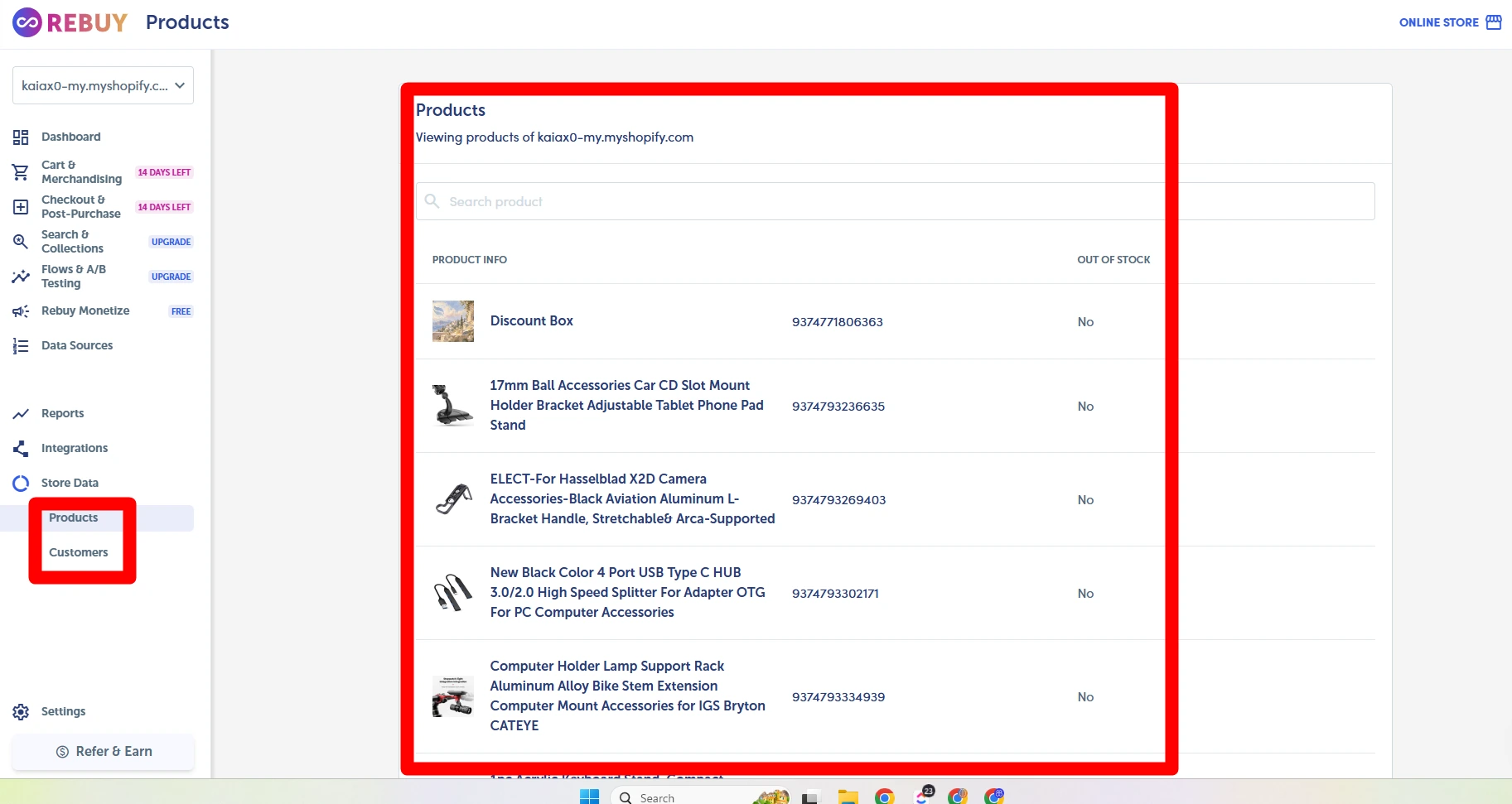
Rebuy displayed product information from our Shopify test store in the Store Data section.
We could see synced products along with basic product information.
This showed us that store product data was available inside the Rebuy admin.
We did not test sync speed, customer data, or update timing.
Rebuy Monetize
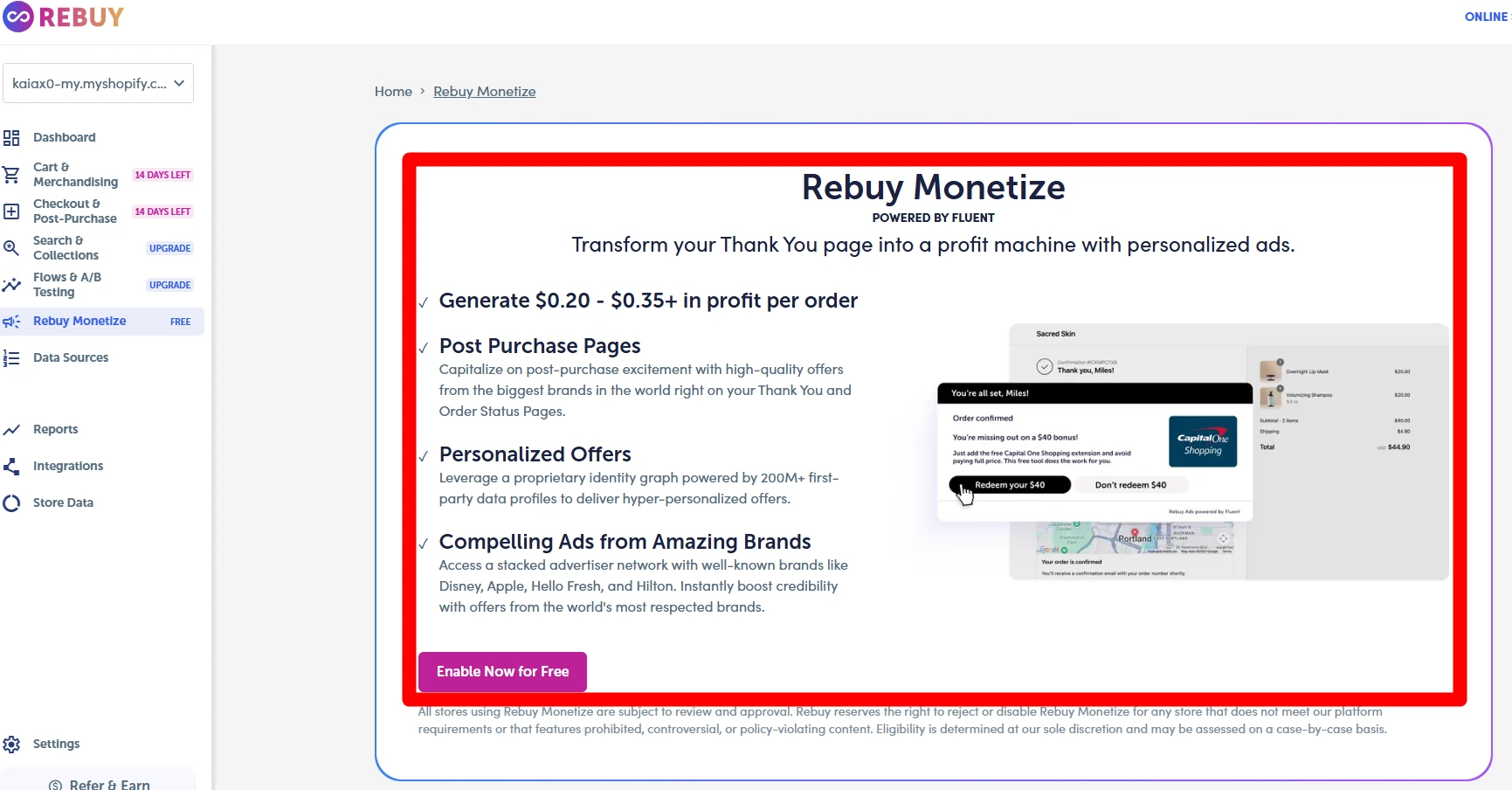
Rebuy Monetize was also available from the dashboard.
Rebuy describes it as a way to show personalized third-party ads after a purchase and potentially earn additional revenue.
The screen we viewed promoted post-purchase pages, personalized offers, and ads from other brands.
It also displayed potential earning figures. We did not verify those figures.
We did not enable Monetize or generate transactions through it. Any earnings shown in the interface are therefore Rebuy’s claims, not Blinto’s results.
Rebuy Personalization Engine Pricing
Rebuy uses package-based pricing.
Its pricing depends on the package a merchant chooses and the store’s monthly order volume. This means a growing store may pay more as it processes more orders.
The main product areas include:
| Package | What it focuses on |
|---|---|
| Cart & Merchandising | Smart Cart, recommendations, bundles, and cart tools |
| Search & Collections | Search and collection experiences |
| Checkout & Post-Purchase | Checkout and post-purchase offers |
| Flows & A/B Testing | Flows and testing tools |
During our test, we also saw separate trial offers inside some parts of the Rebuy dashboard.
The key issue is long-term cost. Check the price for the tools you need and your normal order volume. A low starting price may not match the cost as your store grows.
What We Liked
The organized dashboard was our favorite part of Rebuy.
The main menu made a large app feel easier to explore. Smart Cart, bundles, reports, and integrations were simple to find.
We also liked the range of tools in one place. Rebuy can support several parts of the buying journey. We saw no clear bugs during our short test.
What Could Be Better
Our first concern is pricing. The cost can rise with monthly order volume, so growing stores should check the price at their expected order level.
Our second concern is setup time. The dashboard felt organized, but Rebuy has many tools. New users may need time to learn what they need and how the parts work together.
Who Should Consider Rebuy?
Rebuy is worth considering for Shopify merchants who want several personalization tools in one platform.
It may make sense for stores interested in product recommendations, cart offers, bundles, search, checkout offers, post-purchase experiences, and testing.
It may also suit growing stores that would otherwise need several separate apps to cover these areas.
Smaller stores with simple needs may prefer a lighter app. For another approach, see our Selleasy review and UpCart review.
Final Thoughts
Rebuy combines many Shopify personalization and upsell tools in one platform.
During our 20-minute hands-on exploration, the dashboard was the highlight. It was neat, clear, and easy to browse. We also saw no clear errors.
Rebuy is a large app, though. New users may need more time to learn its tools, and the cost can rise with order volume.
We tested the admin, not sales results. We did not publish a live Rebuy setup or gather enough orders to measure AOV, sales, or conversion changes.
For stores that want several personalization tools in one place, Rebuy gives plenty to explore. Stores with simpler needs should weigh that depth against the setup time and cost.
Frequently Asked Questions
Is Rebuy Personalization Engine easy to use?
We found Rebuy’s dashboard easy to navigate during our 20-minute test. The main tools were grouped into clear sections, so finding features was straightforward.
However, Rebuy has many settings and tools. New users may need more time to learn how to configure everything.
What can you do with Rebuy?
Rebuy provides tools for product recommendations, Smart Cart, merchandising, bundles, search, checkout, post-purchase offers, flows, A/B testing, reporting, and integrations.
Not every merchant will need every feature. The best setup will depend on the store and its goals.
How much does Rebuy cost?
Rebuy uses package-based pricing, and costs can vary with monthly Shopify order volume.
This means stores should check the current price for the packages they need and calculate the cost using their normal order count. Pricing can change, so merchants should verify the latest rates before subscribing.
Is Rebuy only an upsell app?
No. Upselling is part of Rebuy, but the platform covers more than that.
It also includes merchandising, bundles, search and collections, checkout tools, post-purchase experiences, testing, reports, and integrations.
Does Rebuy support A/B testing?
Rebuy provides A/B testing tools.
We accessed the relevant area during our review but did not run an experiment. We therefore cannot judge the quality of its results based on our hands-on test.
Does Rebuy integrate with other Shopify apps?
Rebuy has an integrations section. During our test, we saw options involving Klaviyo, Tapcart, Yotpo, Recharge, and Stamped.
We did not configure these integrations ourselves. Merchants should confirm current support for any integration that is important to their store.
Did Rebuy increase Blinto’s AOV or conversions?
We did not collect evidence that would support that claim.
Our test lasted about 20 minutes and focused on the interface and available features. Our Performance Report showed no meaningful sales or order data to analyze.
We therefore do not claim that Rebuy increased our AOV, conversions, or revenue.
Did you find any problems with Rebuy?
We did not encounter obvious bugs, errors, or navigation problems during our test.
However, this was a short, partial hands-on test rather than a long-term production test. Our experience should not be treated as proof of long-term reliability.
Is Rebuy suitable for beginners?
The dashboard itself was organized and easy for us to navigate. However, Rebuy has a large feature set and many configuration options.
A beginner may need time to learn what each feature does and decide which tools are useful for their store. Merchants who only need a simple upsell may find a smaller app easier to manage.