
Seguno Email Marketing is built for Shopify stores that want a simple way to make and manage email campaigns. We spent about one hour in the app. The setup felt clear and guided. The main menu was easy to scan. The campaign editor was the best part of the test because the main tools were easy to find and use. The app also has limits. Design choice is not very broad. Stores that want complex layouts may feel boxed in. We also found that Popups & Forms and Product Reviews need other Seguno apps.
Key Takeaways
- Setup felt clear and guided.
- The app was easy to learn.
- Campaign editing was the best part of our test.
- The editor is simple, but design choice is limited.
- The app has a video guide for automations.
- We viewed automations but did not run them.
- We built and explored a campaign but did not send it.
- Popups & Forms need another Seguno app.
- Product Reviews also needs another Seguno app.
- Seguno suits stores that want email tools close to Shopify.
Our Verdict
Seguno is easy to pick up. It keeps the main email tasks in a clear flow, and the campaign editor does not feel hard to learn. This makes it a good match for store owners who value speed and ease. A new user can move from the main screen to a campaign without many steps. The main trade-off is design freedom. The editor is easy, but it does not give the same amount of control as a more advanced email builder. Stores with strict brand rules may want more layout and style options.
There is also some extra setup if you want more than email. Popups & Forms and Product Reviews need other Seguno apps. For a Shopify store that wants a clear email tool with a low learning curve, Seguno is easy to understand.
What Is Seguno Email Marketing?
Seguno Email Marketing is an email app made for Shopify stores. It helps merchants make newsletters and campaigns. It also has templates, automations, reports, and other email tools. The app puts most of this work inside the Shopify admin. That keeps the flow familiar for people who already spend most of their day in Shopify.
Seguno does not try to make every screen feel packed with controls. The main tasks are easy to spot. That simple layout was one of the strongest parts of our test.
What We Tested
We spent about one hour exploring Seguno Email Marketing. We looked at the main dashboard, setup flow, newsletters, campaign templates, the campaign editor, automation screens, reports, Popups & Forms, and Product Reviews. We did not send a live campaign. We did not run an automation. We also did not collect real open, click, sales, or revenue data.
For that reason, this review does not judge email delivery, open rate, click rate, sales lift, or long-term automation results. It only covers the parts we could see and use during our test.
Setup and Onboarding
The setup felt straightforward and guided. The first screens gave us a clear idea of what to do next. The app did not make us hunt for the main tools. This matters for a new user. Email apps can feel busy when they show too many menus at once. Seguno was easier to scan.
The path from setup to the main email tools also felt natural. We did not face a major block during this part of the test.
Dashboard Experience
The dashboard is simple. The main menu puts newsletters, campaigns, automations, reports, templates, settings, and other Seguno tools in one place.
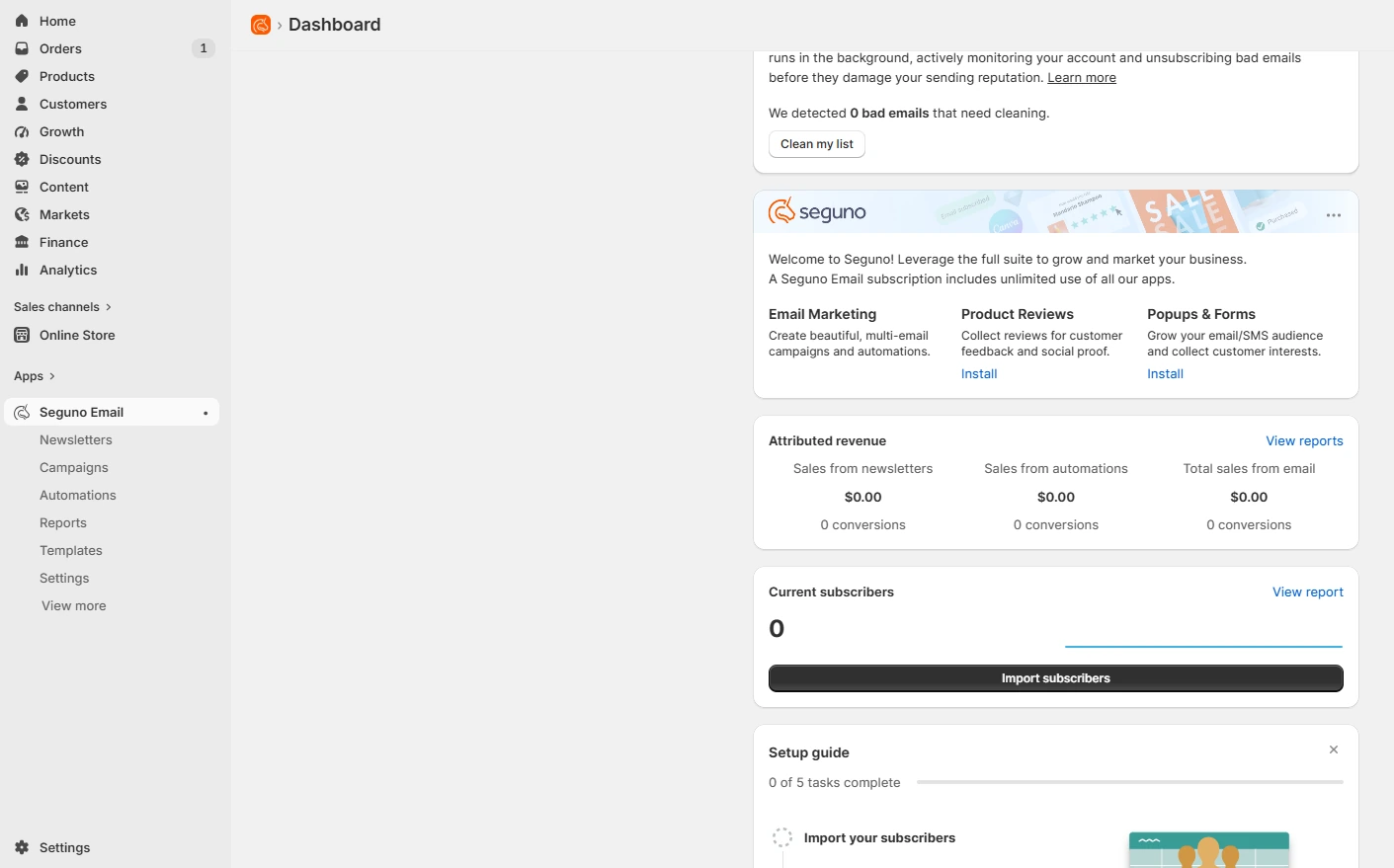
The layout helped us move between areas without much guesswork. We also liked that the menu names were clear. A new user can tell what each area is for without opening every page first.
Newsletter Creation
The newsletter area gives a clear start point for email work.
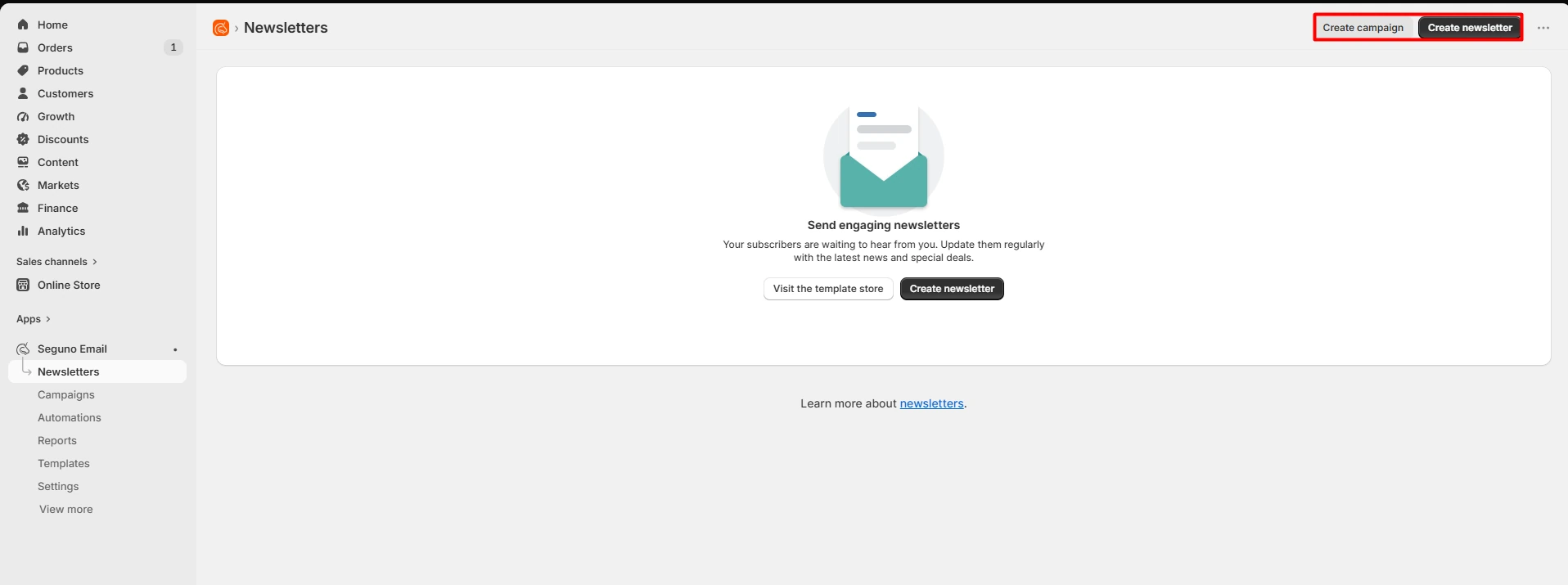
The page is not crowded. The main action is easy to spot, so it is clear how to start a new newsletter or campaign. That simple start helps keep the task easy.
Campaign Templates
Seguno gives users a few starting points for a campaign.
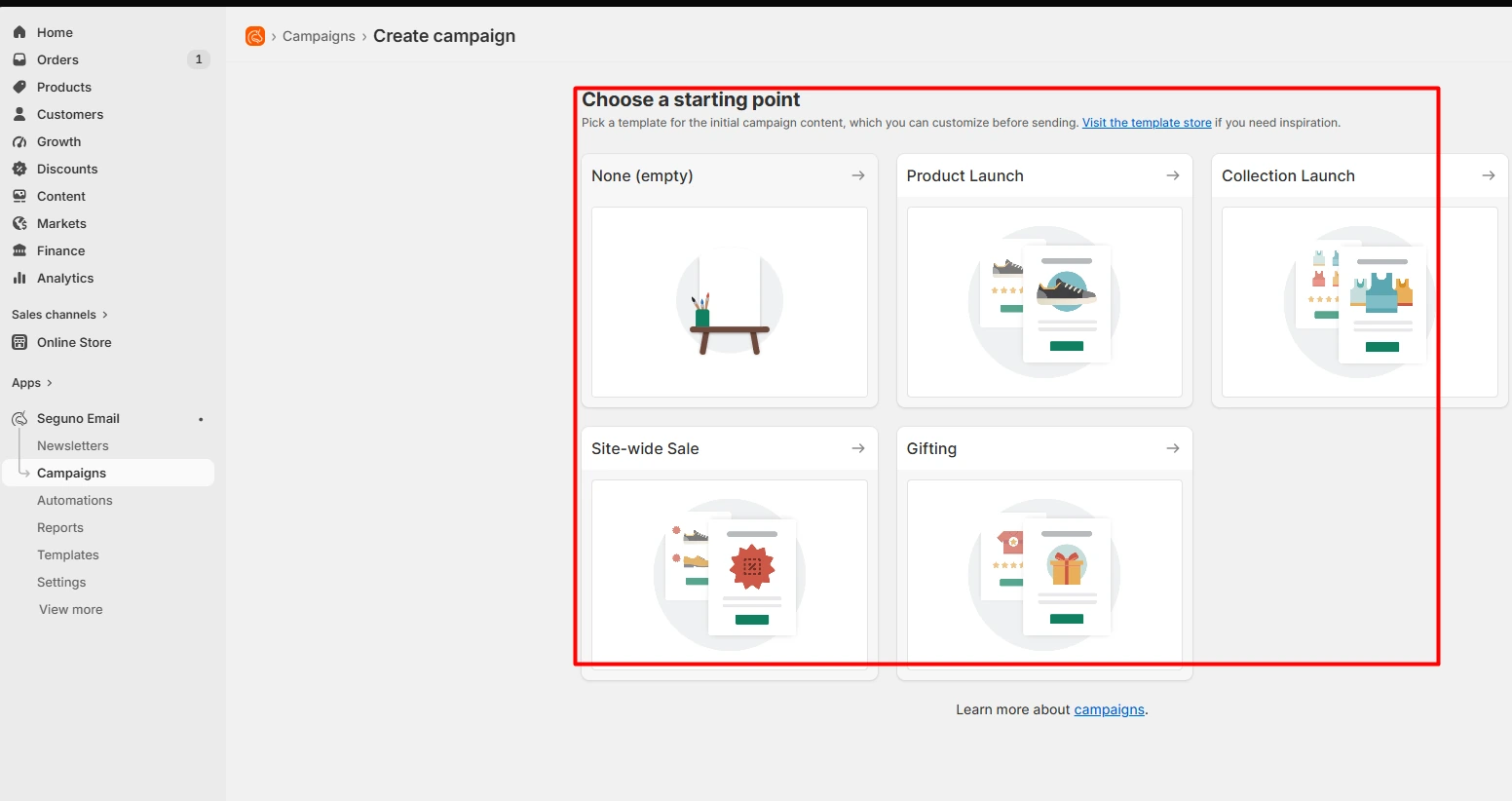
In our test, we saw choices such as an empty layout, Product Launch, Collection Launch, Site-wide Sale, and Gifting. These options can save time. A store can start with a layout that fits the goal instead of building each campaign from zero. The choices were also easy to understand. We did not need extra help to know what each one was for.
Campaign Setup
After you choose a starting point, Seguno moves to a simple setup screen.
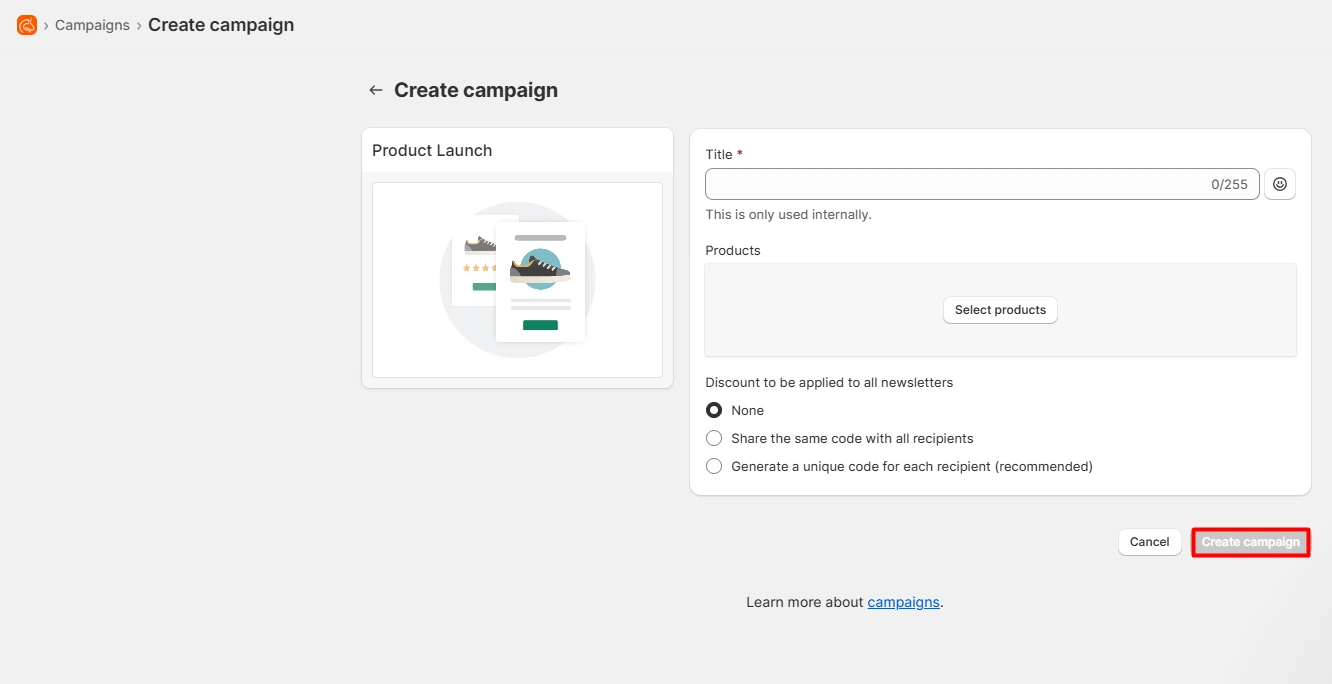
We could see fields for the campaign title, products, and discount use. The flow felt clear. It asks for the main campaign details before moving to the editor. That makes the process easier to follow, mainly for a first-time user.
Campaign Customization
Campaign customization was the best part of our test. The editor shows the email on one side and the content blocks on the other.
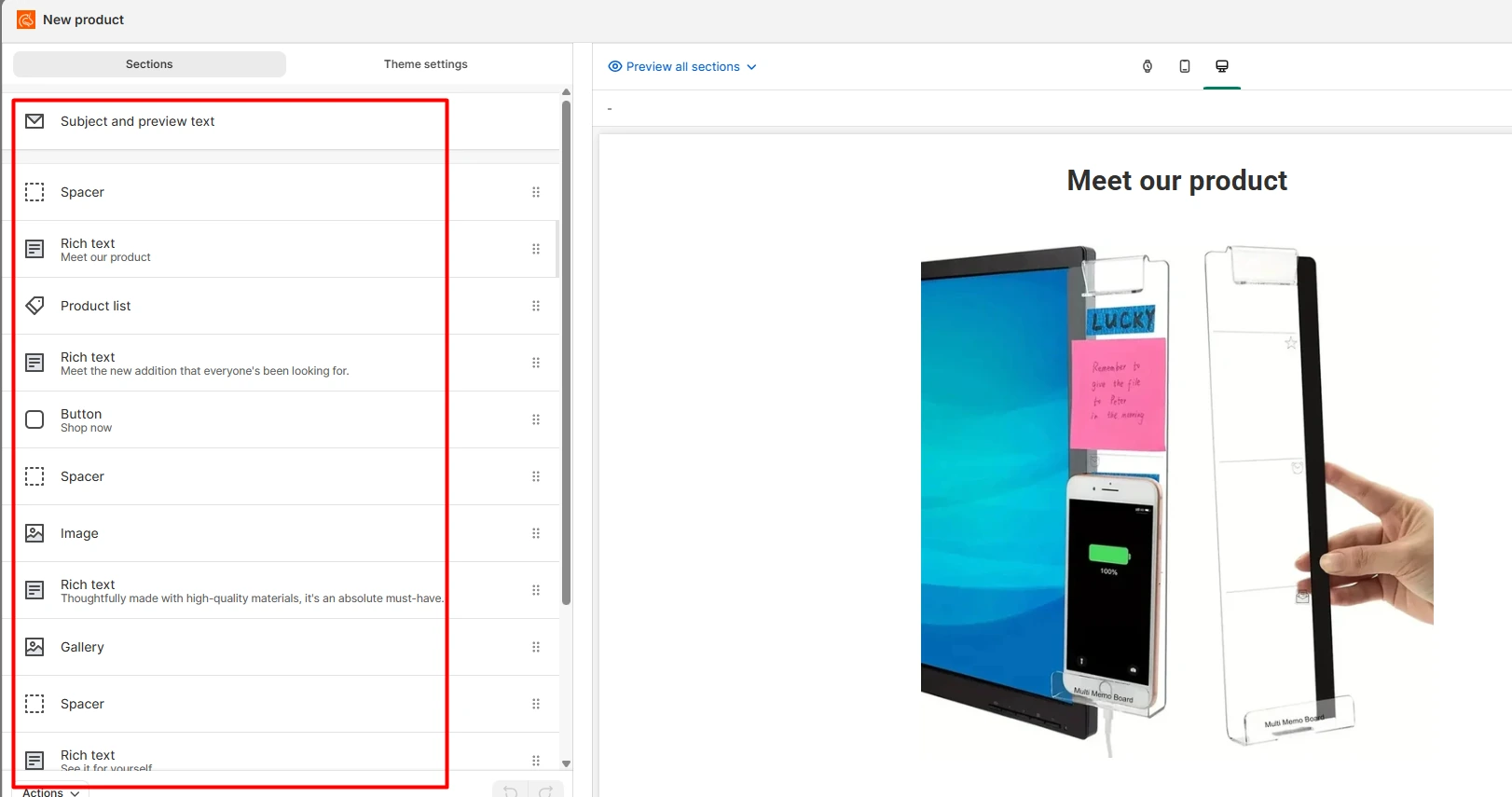
We could see blocks for text, products, images, buttons, space, and other parts of the email. The layout made it easy to understand what each block did. It also made the email structure easy to scan. We liked the full editing flow. It was clear, direct, and easy to learn.
Limited Design Options
The main issue we found was limited design choice. The editor is easy, but it may feel too simple for a store that wants a very custom look. For a basic sale email, product launch, or store update, the tools may be enough. But a brand with strict design rules may want more control over layout and style.
This is the main trade-off in Seguno. The editor stays easy by keeping the choices simple. That helps new users, but it can limit users who want deep design control.
Campaign Overview
Seguno puts the campaign and its draft emails on one page.
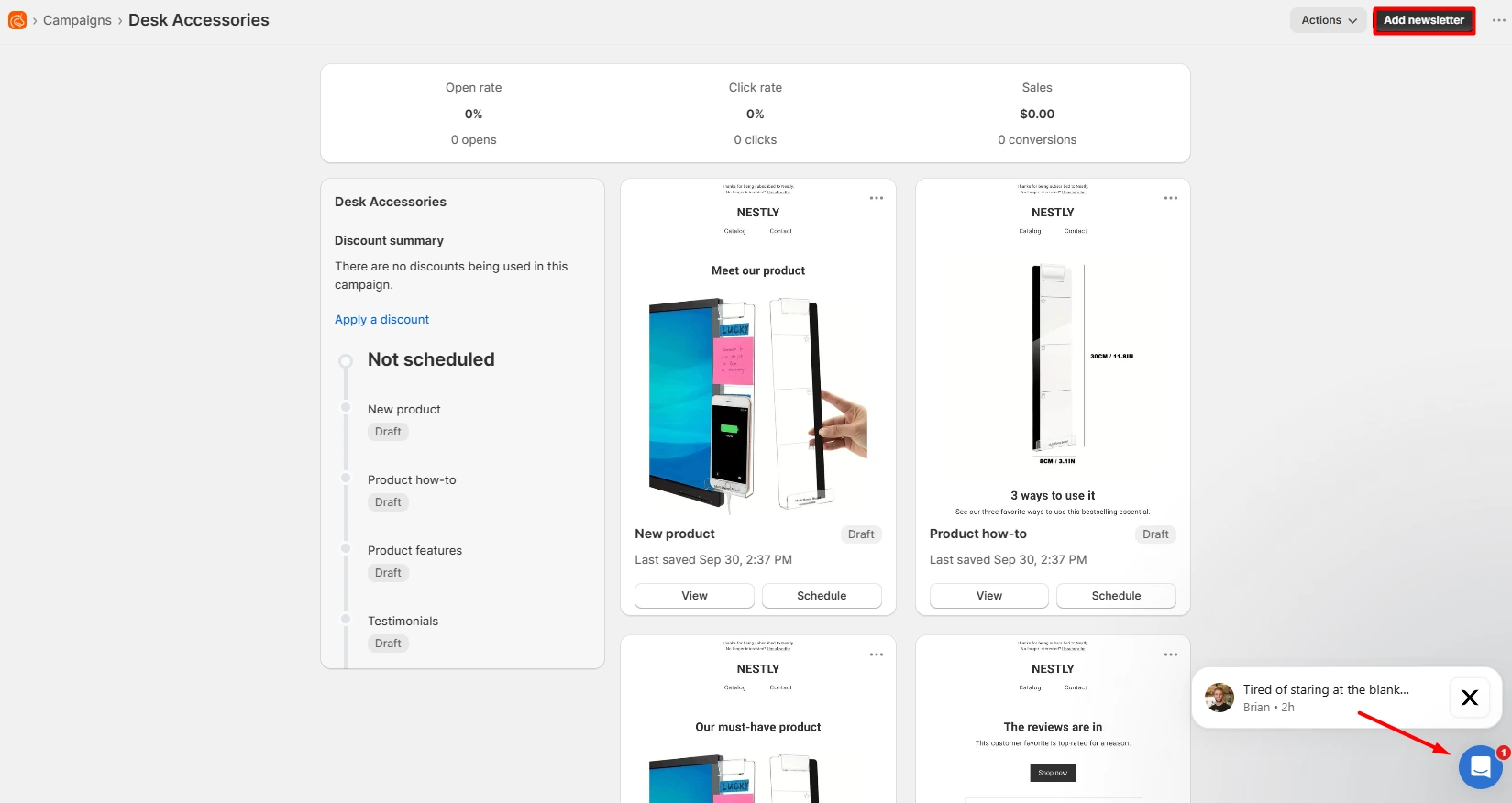
We could see draft items, schedule buttons, and top-level fields for opens, clicks, and sales. We did not send the campaign, so these fields had no real test data. The page was still useful as a way to see the campaign structure in one place.
Campaign List
The main campaign list was also easy to read.
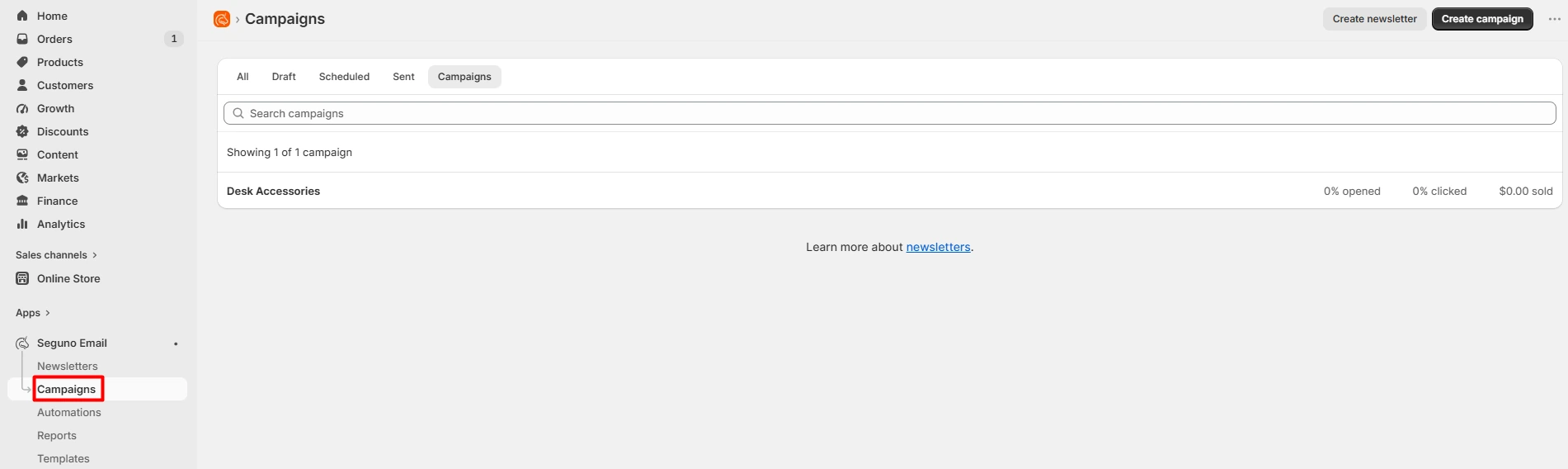
It gives a simple view of saved campaigns and their basic stats. We only had one test campaign, so we did not test how the page feels with a large list.
Automations
Seguno has a page for automations. We did not run any of them.
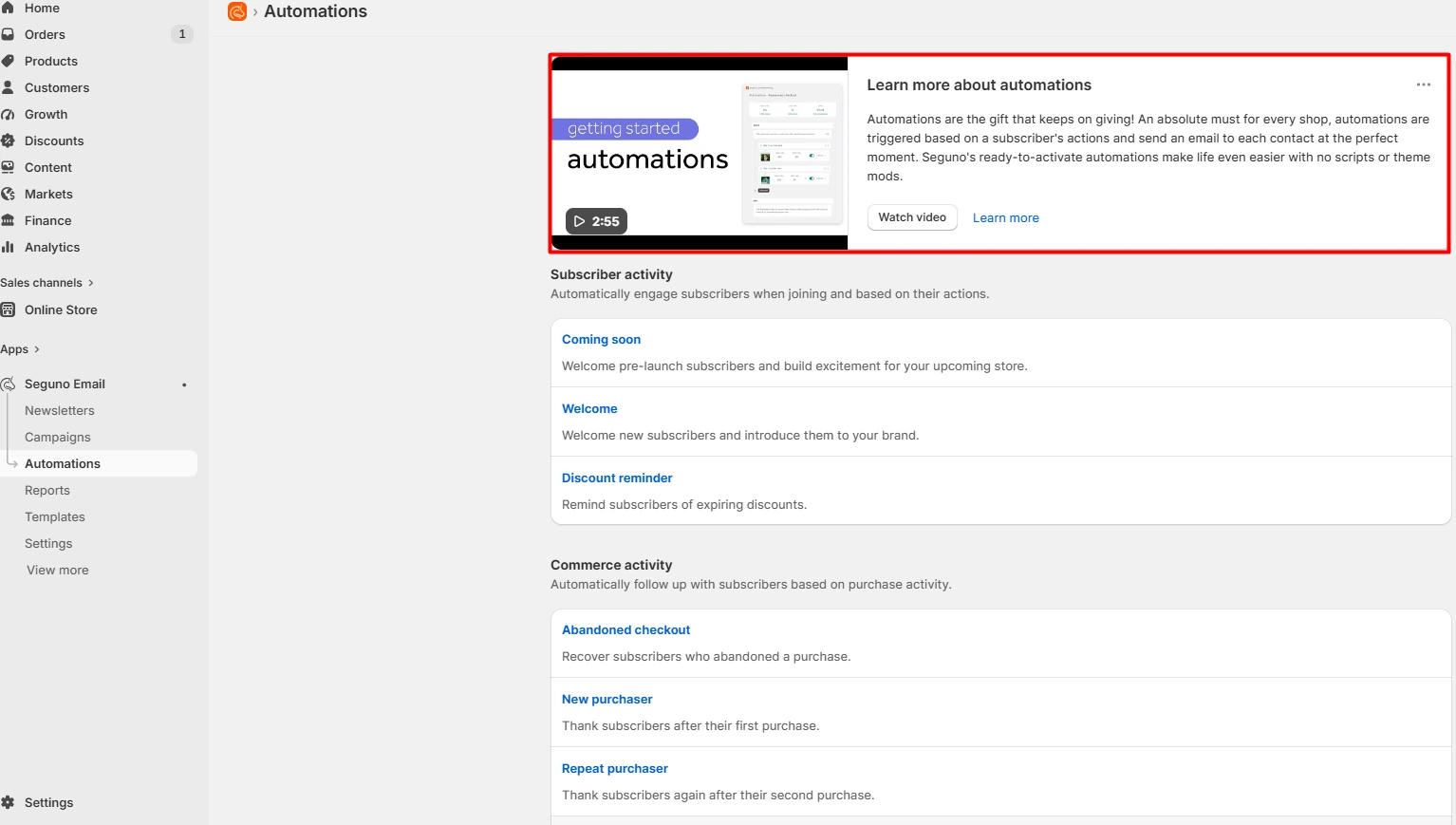
One thing we liked was the video guide at the top of the page. It is there to teach users how the automation flow works. This is useful for a beginner. A short guide can make a new feature feel less hard to start. The page also showed several types of automation. Since we did not turn them on, we cannot judge how well they work in a live store.
Reporting
Seguno also has report screens. We looked at the area, but our test campaign had no real send data. That means we could not judge the depth or value of the reports after a real campaign.
We only confirmed that the report area was present and easy to find.
Popups & Forms
We did not like that Popups & Forms needs another Seguno app. The option appears in the wider Seguno menu, but it is not just a built-in tool inside the main email app. This adds another install step.
A store that only wants email may not care. A store that wants email and popups in one app may find this less neat.
Product Reviews
The same issue applies to Product Reviews.
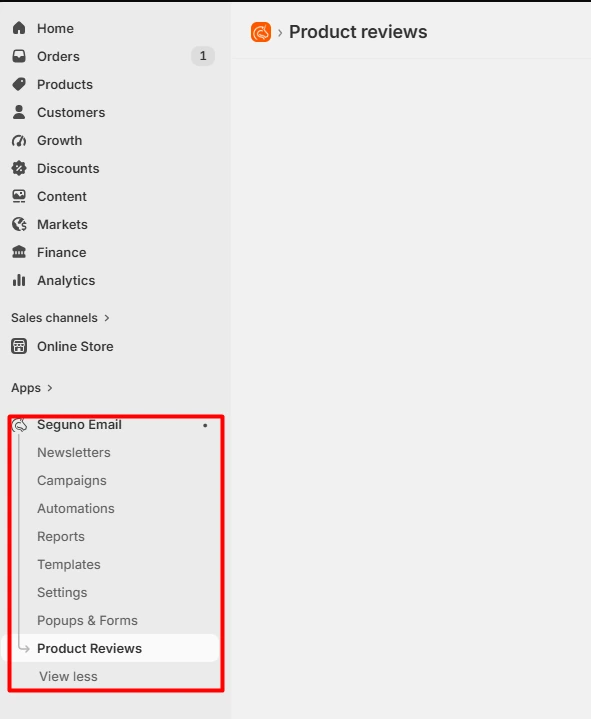
The item appears in the Seguno area, but using it needs another app. This is worth knowing before you assume the core email app also handles reviews by itself.
Pricing
We did not test or verify Seguno’s current plan prices during this session. For that reason, we are not listing a price here. Plan limits and prices can change over time. Before you install the app, check the current Shopify App Store listing and compare the plan limits with your list size and email needs.
Shopify-Focused Workflow
Seguno feels close to Shopify. That was a key part of the experience. A store owner can stay in a familiar admin while working on email tasks. This may reduce the time needed to learn a new system.
For a merchant who wants email marketing to feel like part of Shopify, this is one of Seguno’s clearest strengths.
What We Liked
The app was easy to learn. Setup was guided. The menu was clear. Campaign creation was simple. The editor was easy to use. The campaign editor was the highlight because the blocks and preview made the task easy to follow.
We also liked the video guide in the automation area. It gives new users a place to start.
What Could Be Better
The biggest weak point is design choice. The editor may not give enough control to a brand that wants a very custom email look. We also think the extra apps add some friction. Popups & Forms and Product Reviews are not part of the core email app.
These points do not make Seguno hard to use. They are just limits to know before you choose it.
Pros and Cons
| Pros | Cons |
|---|---|
| Easy for beginners | Limited design options |
| Guided setup | Less control for custom layouts |
| Clear campaign flow | Popups & Forms needs another app |
| Simple campaign editor | Product Reviews needs another app |
| Helpful automation video | Live send results were not tested |
| Works closely with Shopify |
Who Is Seguno Best For?
Seguno is best for merchants who want email marketing to stay close to Shopify. It may suit:
- New email marketers.
- Small Shopify stores.
- Growing stores that value a simple workflow.
- Teams that want clear campaign tools.
- Stores that do not need deep design control.
A store with strict brand design needs may want a more flexible email builder.
Final Verdict
Seguno Email Marketing is easy to learn and easy to move around. Its strongest part is campaign editing. The tools are clear, the flow is simple, and a new user can understand the task fast. The main limit is design freedom. Stores that want more control over layout and style may find the editor too basic.
It is also worth noting that Popups & Forms and Product Reviews need other Seguno apps. For merchants who want a simple email tool that stays close to Shopify, Seguno offers a clear and friendly workflow.
Frequently Asked Questions
Is Seguno Email Marketing easy to use?
Yes. The setup felt guided, and the main menu was easy to scan. We also found the campaign editor easy to learn.
What stood out most in the test?
Campaign customization stood out most. The editor made the email structure clear and kept the main tools easy to find.
Did Blinto send a live campaign?
No. We built and explored a campaign, but we did not send it. We do not make claims about delivery, open rate, clicks, sales, or revenue.
Did Blinto test Seguno automations?
No. We viewed the automation area but did not run an automation. We did see a video guide that teaches the setup flow.
Does Seguno have many design options?
The editor has useful basic tools, but we found the design choice limited. Stores that want a very custom layout may want more control.
Are Popups & Forms part of the core email app?
No. In our test, that area required another Seguno app.
Does Product Reviews need another app?
Yes. We found that Product Reviews also needs another Seguno app.
Who should use Seguno?
Seguno makes the most sense for Shopify merchants who want a simple email tool with a clear flow and a low learning curve.