
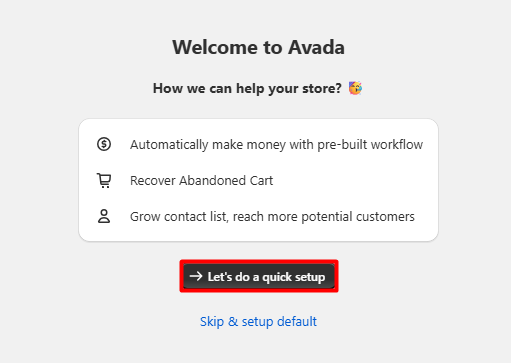
AVADA Email Marketing is a tool for Shopify. It puts key mail tools in one place. We spent more than 50 minutes with it. We set it up and checked its main parts. The first steps felt clear and well led. Some pages also had short help videos. The flow tool was the best part for us. It was easy to scan and follow. We did want more design choice in forms. New users may need time to learn it.
Key Takeaways
- Setup felt clear, guided, and easy to follow.
- Short help videos made some feature pages easier to learn.
- The visual automation builder was the strongest feature we explored.
- The main menu was simple to scan, with key tools easy to find.
- Email, automation, forms, audiences, and reports sit in one app.
- We saw no bugs or broken pages during our exploration.
- AVADA looks well suited to small and growing Shopify stores.
- Main drawback: form and popup design options felt too limited, and new users may need time to learn the full app.
Our Verdict
AVADA made a good first impression on us. The app gave us a clear path at setup. Its main menu was also easy to scan. We did not have to hunt for key tools.
The flow tool was the best part. Its steps were shown in a clear way. That made the logic easy to grasp. We could see how a flow was built. We could also see where each step sat.
There are a few weak points. We wanted more choice for form design. We also wanted more popup design control. The app has a lot to learn. A new user may need some time.
We think AVADA can fit small stores well. It may also fit a store as it grows. The app keeps key mail tools close by. This can make day to day work feel simple.
This was a Level 2 partial test. We did not run a live mail send. We did not run a live flow. We did not test sales or lead gains. We did not test mail reach or sales lift.
What Is AVADA Email Marketing?
AVADA is a Shopify app for store mail. It has tools for mail, flows, and forms. It also has audience and report pages. These tools sit in one main app.
That can help a small store team. There are fewer tools to move between. A user can start in one place. They can then move from mail to flows. They can also reach forms and reports fast.
The app has a wide set of tools. Yet the main menu felt easy to read. Each key area had a clear place. We could move through the app with ease.
For us, the flow tool stood out most. It made a hard task feel less dense. The steps had a clear order. This helped us grasp the basic flow fast.
What We Tested
We spent more than 50 minutes in AVADA. We set up the app first. We then checked its main menu and pages. We looked at mail, flows, and forms. We also checked audience tools and reports. We looked at plans and app settings too.
We spent the most time on flows. We checked how the flow screen was laid out. We looked at how each step was shown. We also checked the way the settings were placed.
We did not turn a flow on. We did not send mail through it. We did not use it with real buyers. So we do not rate live flow results.
We checked the campaign area as well. We did not make or send a campaign. We checked forms but did not post one. We checked reports but had no live data.
We did not import a real mail list. We did not make a live segment. We did not test SMS. We did not ask the support team for help. We did not use AVADA on a live shop.
These limits shape this review. We can rate what we saw and used. We can rate the setup and page flow. We can also rate how clear tools felt. We cannot rate real sales or mail results.
Setup and Onboarding
Setup was one of the easier parts. The first steps felt clear and well led. We knew what the app wanted us to do. This made the first use feel less hard.
Some pages also had help videos. We saw this in flows and forms. The videos gave users one more way to learn. That can help when a page is new.
The main menu was easy to scan. Key tools had clear names and spots. We could move from one area to the next. We did not feel lost in our test.
Still, the app has many parts. A new user may need time with it. The first steps are clear. The full tool set takes more time to learn.
Automation Builder
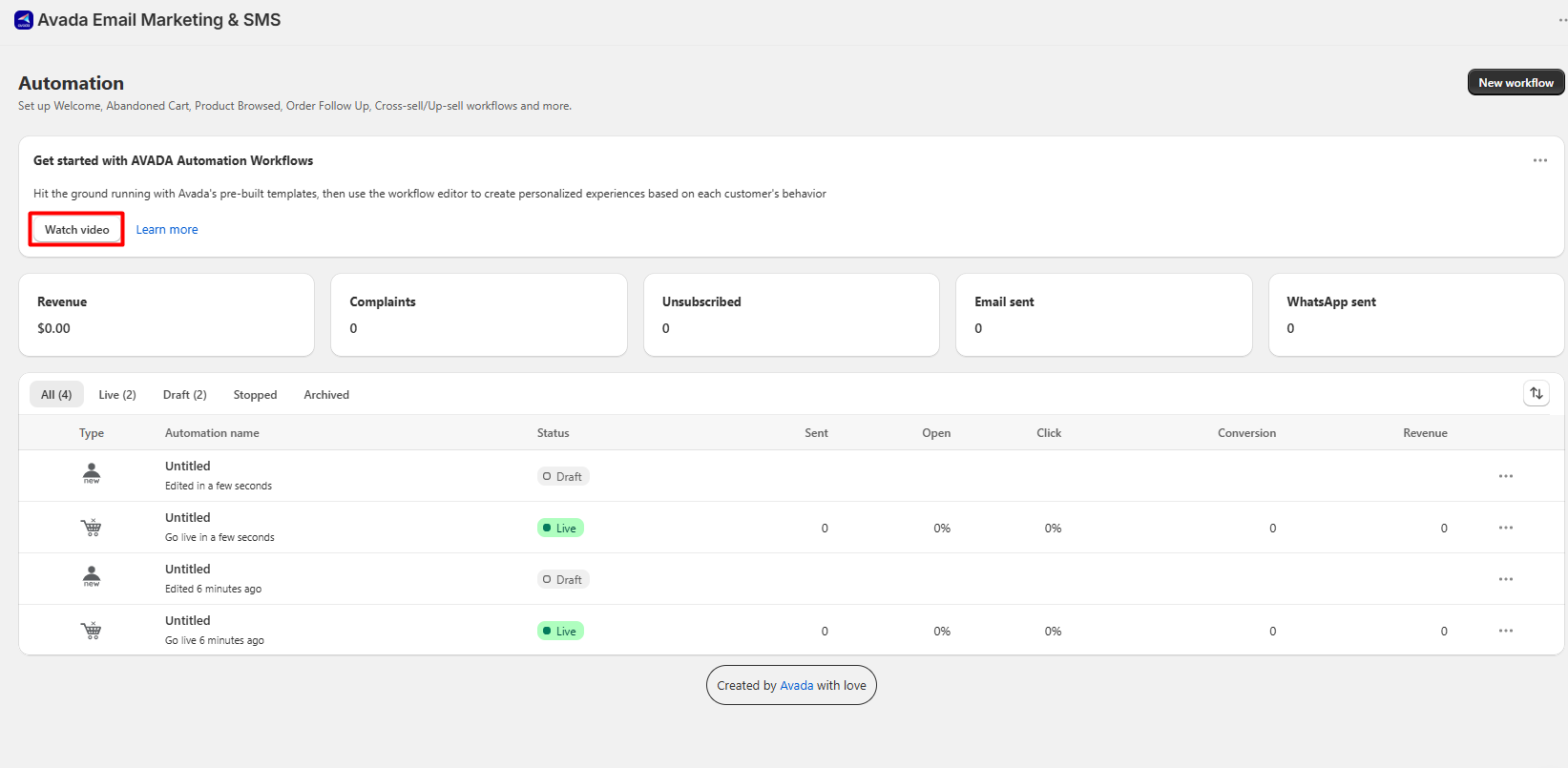
The flow tool was our top pick. It gave each step a clear place. The full flow was easy to scan. We could see how one step led on.
This is a good fit for visual work. A user can see the flow as a path. That is often easier than a long list. It can also make edits feel less vague.
The screen did not feel too dense. We could grasp the basic shape fast. The links between steps were easy to see. This gave the tool a calm feel.
We only checked the setup side. We did not turn the flow on. We did not send mail through it. We did not track clicks or sales. So our view is about ease of use.
Email Campaigns
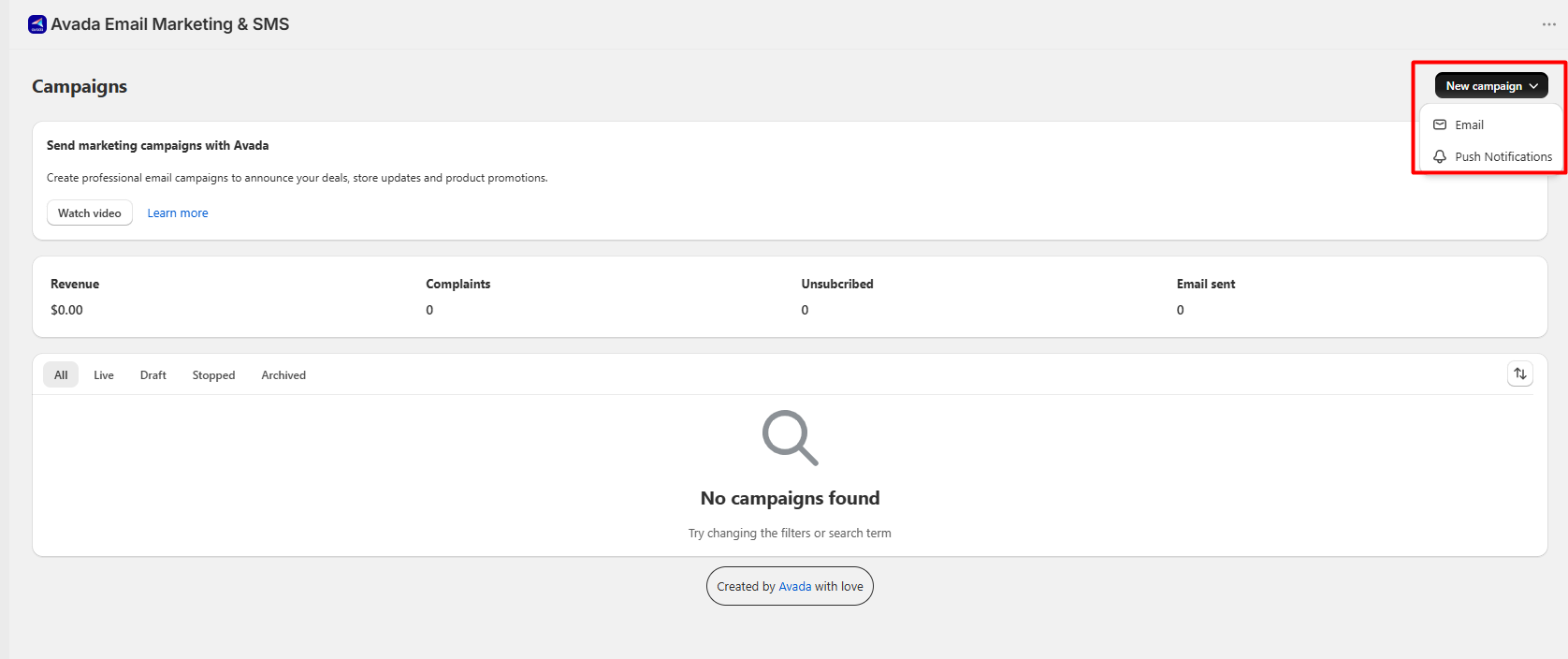
AVADA has a page for mail campaigns. We checked how this page was set up. It was easy to find from the menu. It also fit well with the flow tools.
This can help a store keep work close. A user can move from a flow to mail. They do not need a new app for that step. The page felt like part of one system.
We did not make a campaign. We did not edit or send one. We did not test mail reach. We did not check clicks from a real send.
That means we cannot rate campaign results. We can only rate the page we saw. The page was clear in our short test.
Forms and Popups
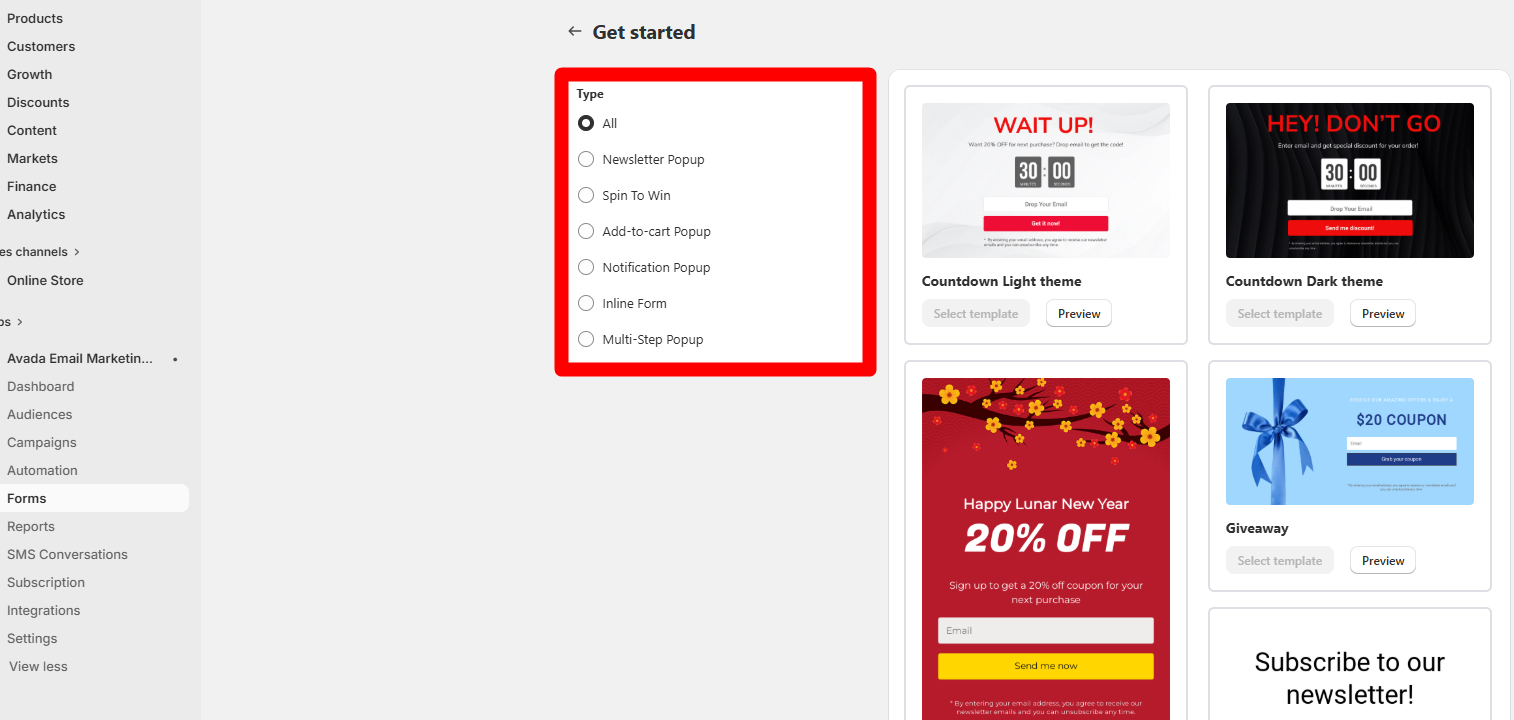
AVADA also has forms and popups. We checked the form area and its choices. We did not build a live form. We did not show one on a shop.
This is where we saw a key limit. We wanted more choice in the design. We also wanted more control over popups. Some stores may not mind this.
A simple store may need basic forms only. In that case, the choices may be enough. A brand led store may want more. It should check the design tools first.
The form page was still easy to scan. We could see the main form types. The page did not feel hard to use. Our concern was choice, not page use.
Audience Management
AVADA has a page for audience data. We checked this page but did not use live data. We did not import a real list. We did not build a live group.
The page was easy to find. It also made sense near mail and flows. This keeps key work in one place.
We cannot rate list size or speed. We also cannot rate deep group tools. We did not test those parts. Our view here is quite small.
Reports and Analytics
We checked the report area as well. It was easy to reach from the app. We did not have live mail data. We also had no live flow data.
So we cannot rate report depth. We cannot rate the truth of live stats. We also cannot rate sales links. We only saw the report page itself.
The page fit the rest of the app. Its place in the menu made sense. That is all we can claim from this test.
Pricing
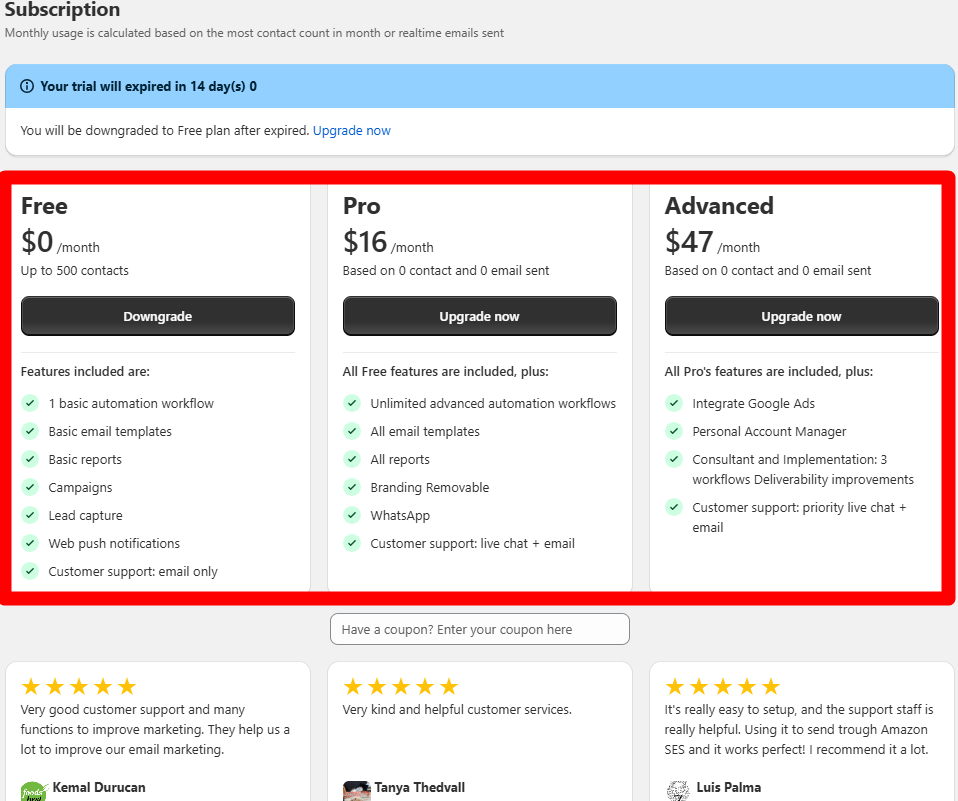
The plan page showed a Free plan. It also showed Pro and Advanced plans. Pro began at $16 per month. Advanced began at $47 per month.
A free plan can help a small store. It lets a team look before it pays. That can cut the risk of a new app.
Price is only one part of value. A store should check each plan limit. It should also check the tools it needs. Plan terms can change with time.
We saw the price page in the app. We did not test paid plan limits. We also did not test extra message costs. Check the live plan page before you buy.
What We Liked
We liked the flow tool most. It was clear, visual, and easy to scan. Each step had a clear place. The full path made sense at a glance.
We also liked the guided setup. It gave us a clear first path. The help videos were a nice extra. They can aid a user who feels stuck.
The main menu was easy to use. Key tools were not hard to find. We moved through the app with no big issue.
We saw no bugs in our test. No page broke while we looked around. We did not see a crash. This was still a short test.
What Could Be Better
We wanted more form design choice. We also wanted more popup design control. This was our main weak point.
A store with a strong brand may care. It may want more ways to tune each form. It may also want more ways to match its shop.
The next issue is time to learn. Setup itself was not hard. The app just has many parts. A new user may need time with them.
The help tools can ease that work. They do not make the full app small. Users should plan for some time to learn.
Who Is AVADA Best For?
AVADA looks best for small Shopify stores. It can also fit a store as it grows. The app puts many mail tools in one place.
It may suit a lean team well. Such a team may not want many apps. AVADA can keep mail and flows close. Forms and reports are there too.
The flow tool is a key draw. It can help users who like visual steps. The guided setup may also help new users.
The free plan can help with the first look. A store can learn the app first. It can then judge if paid tools fit.
Who May Want Something Else?
Some stores may want more design control. This is key for forms and popups. Those stores should test the design tools first.
Large teams may also need more depth. They may need deep data or complex flows. We did not test those needs here.
Stores that rely on SMS should test it too. We did not check the SMS tools. We cannot rate them in this review.
The same is true for support. We did not ask the support team for help. So we cannot rate speed or help quality.
Final Verdict
AVADA was easy to start and explore. Its flow tool was the clear high point. The visual path was easy to grasp. The main menu also felt clear.
The app does have a few trade offs. Form and popup design felt too tight. New users may also need time to learn.
For a small or growing store, AVADA is worth a look. It keeps key mail tools in one app. It also has a free way to start.
Our view has clear limits. We did not run live mail or flows. We did not test sales or lead gains. We did not test SMS or support. Keep those limits in mind when you choose.
FAQ
Is AVADA Email Marketing easy to use?
It was easy to grasp in our test. Setup gave us a clear path, and the main menu was simple to scan. The help videos on some pages also made new tools easier to understand. New users may still need some time to learn the full app.
What did you like most?
We liked the automation builder most. Its visual path made each step easy to follow, so we could see how the flow fit together. It made a complex task feel less dense. This was the clearest strength in our exploration.
Did you run a live automation?
No. We explored the automation builder and checked how its steps and settings were arranged. We did not turn a flow on or use it with real buyers. Our comments are about the builder’s ease of use, not live results.
Did you send a campaign?
No. We inspected the campaign area and checked how it fits with the rest of AVADA. We did not create, edit, or send a live email campaign. Because of that, we do not rate delivery, clicks, or campaign results.
Did you test forms on a store?
No. We explored the form tools and the design choices shown in the app. We did not publish a form on a live store or track real signups. Our design comments are based only on the options we inspected.
Did you test SMS?
No. SMS was outside the scope of this test. We did not set up or send any SMS messages, so we cannot judge how easy the SMS tools are or how they perform. Stores that rely on SMS should test that area separately.
Did you test support?
No. We did not contact AVADA’s support team during this review. We only saw the help and video guidance available inside the app. Because of that, we do not rate support speed, response quality, or problem solving.
What did you dislike?
Our main concern was design choice. We wanted more control over forms and popups, especially for stores that need a close brand match. The app also has many tools, so new users may need some time to learn the full system.
Did you find bugs?
We did not see a bug, crash, or broken page during our exploration. The areas we opened worked normally for us. This was still a limited test, so we do not treat that as proof of long-term reliability.
How much does AVADA cost?
The plan screen we inspected showed a Free plan. Pro began at $16 per month, while Advanced began at $47 per month. Plan limits and prices can change, so merchants should check the current pricing before they subscribe.
Who should try AVADA?
AVADA looks best for small and growing Shopify stores that want several email tools in one app. It may suit lean teams that value a clear visual automation builder and guided setup. Stores that need deep design control may want to compare other options too.