
Klaviyo helps stores send email and text. It also has forms, flows, and smart tools. We tried the main set up and made an email campaign. We also looked at forms, reports, and the AI shop tool.
The app felt neat and clear. The main menu was easy to scan. The email task was not hard to do. Yet the app has a lot of tools. This can make the first use feel busy.
Key Takeaways
- The main menu is neat and clear.
- The set up has clear steps.
- The set up can take some time.
- We made an email campaign with no bug.
- The email task was easy to follow.
- Flows are a key part of the app.
- The AI shop tool stood out in our test.
- The app has a lot for a new user to learn.
- We saw the report screens but did not test their data.
Our Verdict
Klaviyo is a good fit for a store that wants more than a basic email tool. It puts email, text, forms, data, and flows in one place. This can help a team keep its work in one app.
The main gain is the range of tools. A store can start with email. It can then add flows and more ways to reach buyers. The main cost is time. A new user has a lot to learn.
We think the app makes the most sense for a store that is set to grow. A very small shop may not need all of its tools. A store with more data and more buyers may get more use from them.
What We Tested
We used the set up flow. We went through the main home screen. We made an email campaign. We also looked at the AI shop tool, forms, lists, and report screens.
Our main hands-on task was email. We did not send an SMS test. We did not run a live help desk test. We did not run a long test of flows. We also did not use live sales data to test the reports.
This scope is key to our view. We can speak with more trust about set up, the main menu, and the email task. For the other tools, we only note what we saw.
We found no bug in the parts we used. That does not mean the whole app has no bugs. It only tells you what took place in our test.
Getting Started With Klaviyo
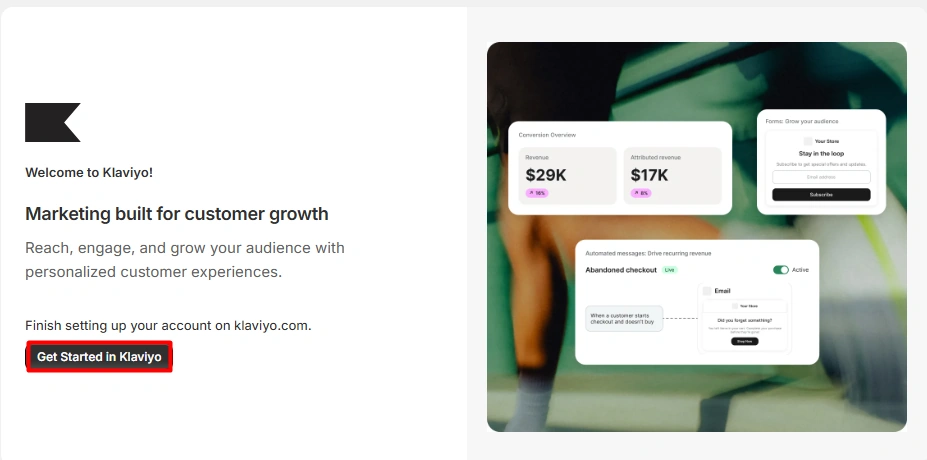
The set up starts with a clear path. The app asks about your shop and your goals. It also asks which ways you want to reach buyers.
Each step was easy to read. We knew what to do next. We did not get stuck in the set up flow.
The main issue was time. There are a lot of steps. This is not hard, but it can feel long. A new user may want to set aside time for it.
The clear steps are a plus. They help make a large app feel less hard at the start. Still, the app asks for more work than a small email tool would.
Dashboard and Ease of Use
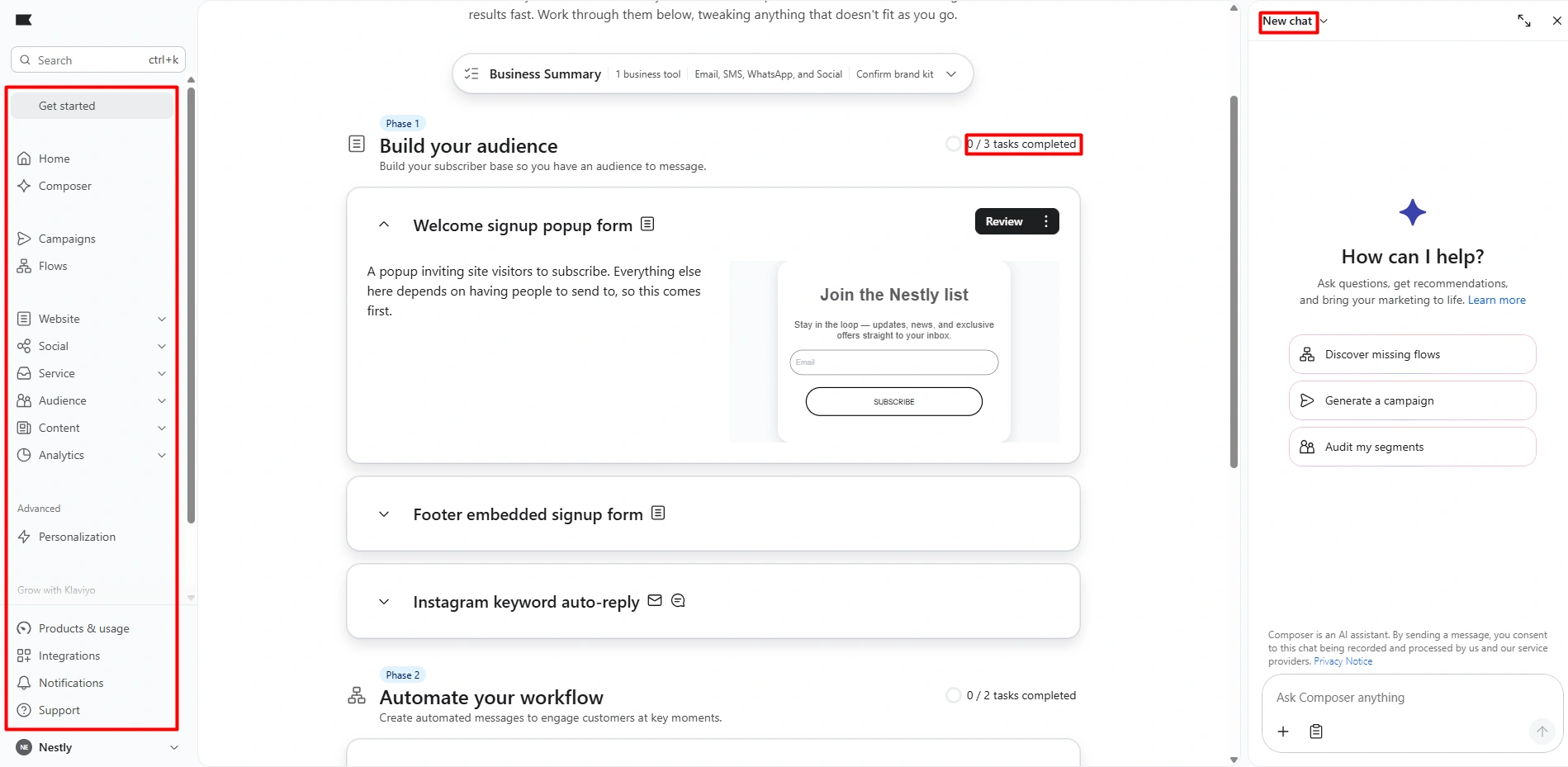
The home screen felt neat. The side menu groups the main tools in one place. We could find email, flows, forms, lists, and reports with no fuss.
The menu is clear, but it is long. This shows both the good and bad side of the app. You get a lot of tools. You also have a lot to learn.
For us, the layout was not the hard part. The size of the app was. A new user may need time to learn what each area does.
Once you know which tools you need, the menu makes more sense. You can skip the parts that do not fit your plan.
Creating an Email Campaign
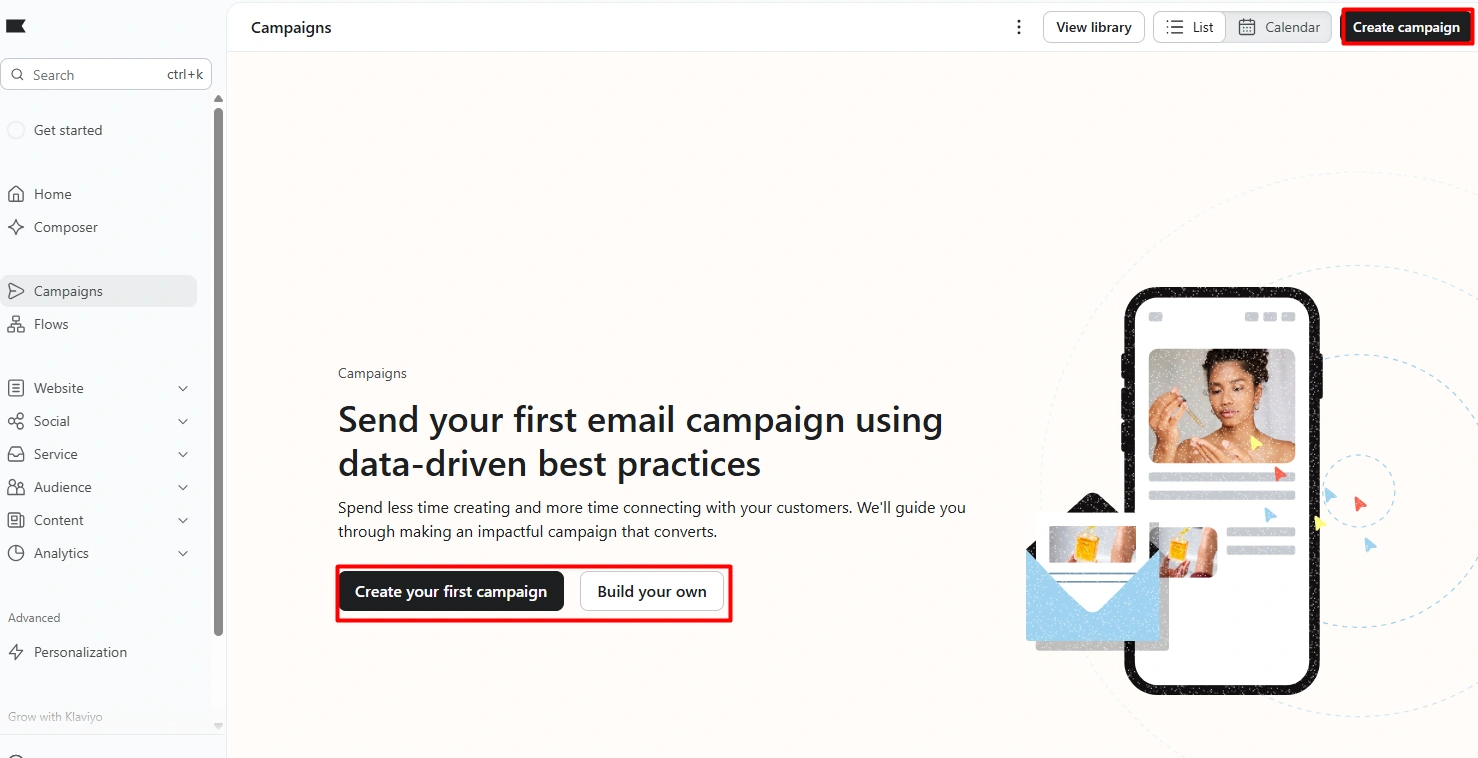
We made an email campaign in our test. The task felt clear and did not take much work to grasp.
The campaign page gives you a clear place to start. The steps were easy to follow. We did not hit a bug or a tech issue while we did this task.
This was one of the best parts of our test. It showed that a large app can still make a core task feel simple.
A new user may still need time to learn all the extra tools. But the basic email path did not feel hard to us.
Automation and Flows
Flows are a big part of Klaviyo. A flow can send a message when a set event takes place. This can cut down on work that a team would do by hand.
The app has a space just for flows. This makes the role of this tool clear. It is one of the main ways Klaviyo goes past basic email.
We did not build and run each type of flow. We also did not track sales from a flow. So we will not claim that a flow will lift sales or save a set amount of time.
What we can say is that flows are easy to find in the app. They are a core part of how the app is built. This is the main reason we would pick Klaviyo for a store that needs more than one-off email sends.
Personalization
The app can use shop and buyer data to shape who gets a message. This can help a store split its list into groups.
That idea is simple. The work can be less simple. A team needs clean data and a clear plan. It also needs to know which groups it wants to reach.
This part stood out in our test. It gives a store more room to shape its work as it grows.
It can also add more set up. A small shop may not need this at first. A larger shop may find it much more useful.
Customer Agent
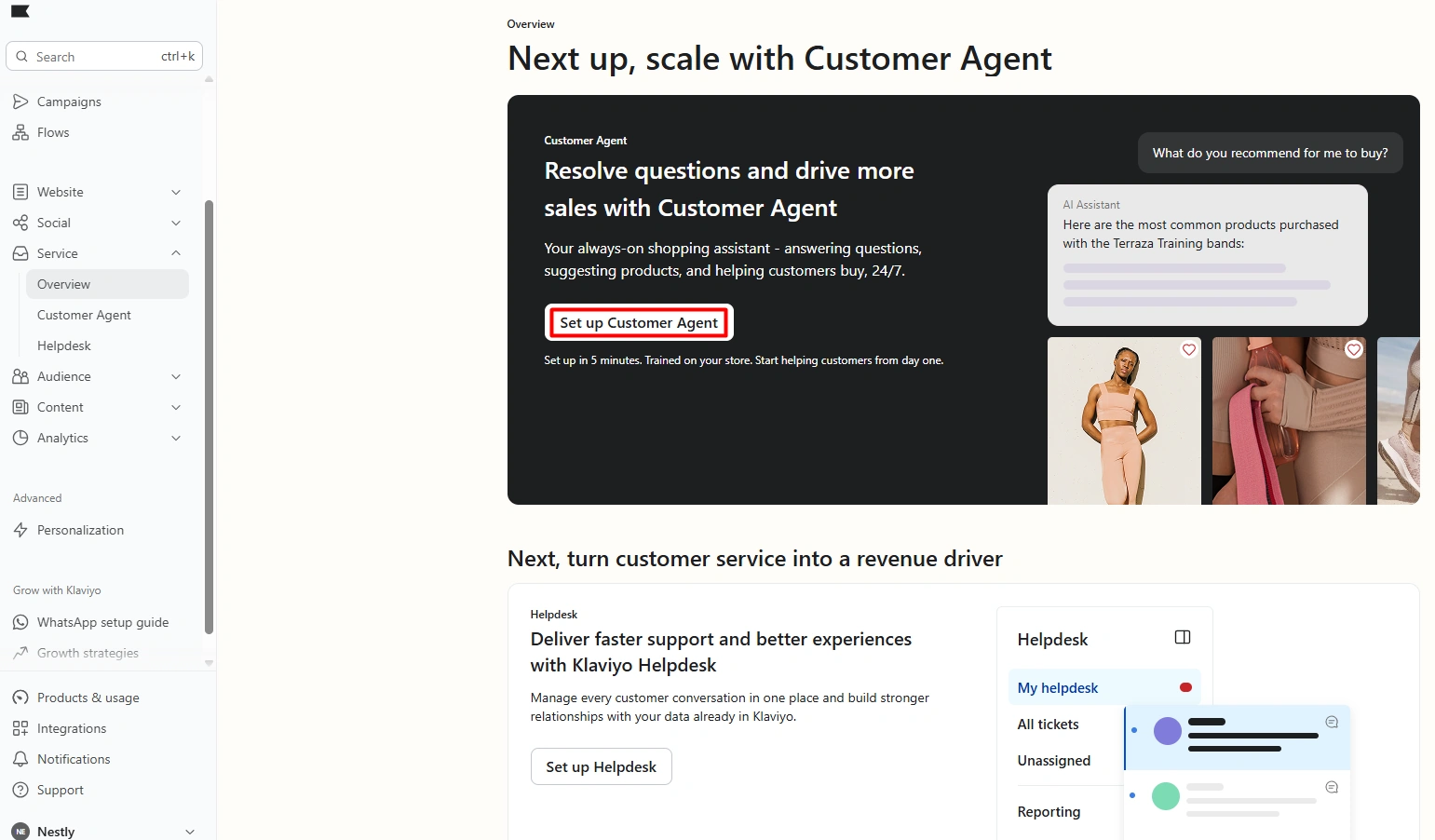
The AI shop tool was one of the most fun parts to view. Klaviyo says it can help a buyer ask about goods and find what they need.
We looked through this area. We did not run it as a live help desk. We also did not test it with real buyer chats.
That means we cannot rate its effect on sales or help desk work. We can only say that the tool is built into the same app as the rest of the buyer data.
That link may be of use to a store that wants sales and help tools in one place. It was one of the parts that stood out most to us.
Signup Forms and Audience Growth
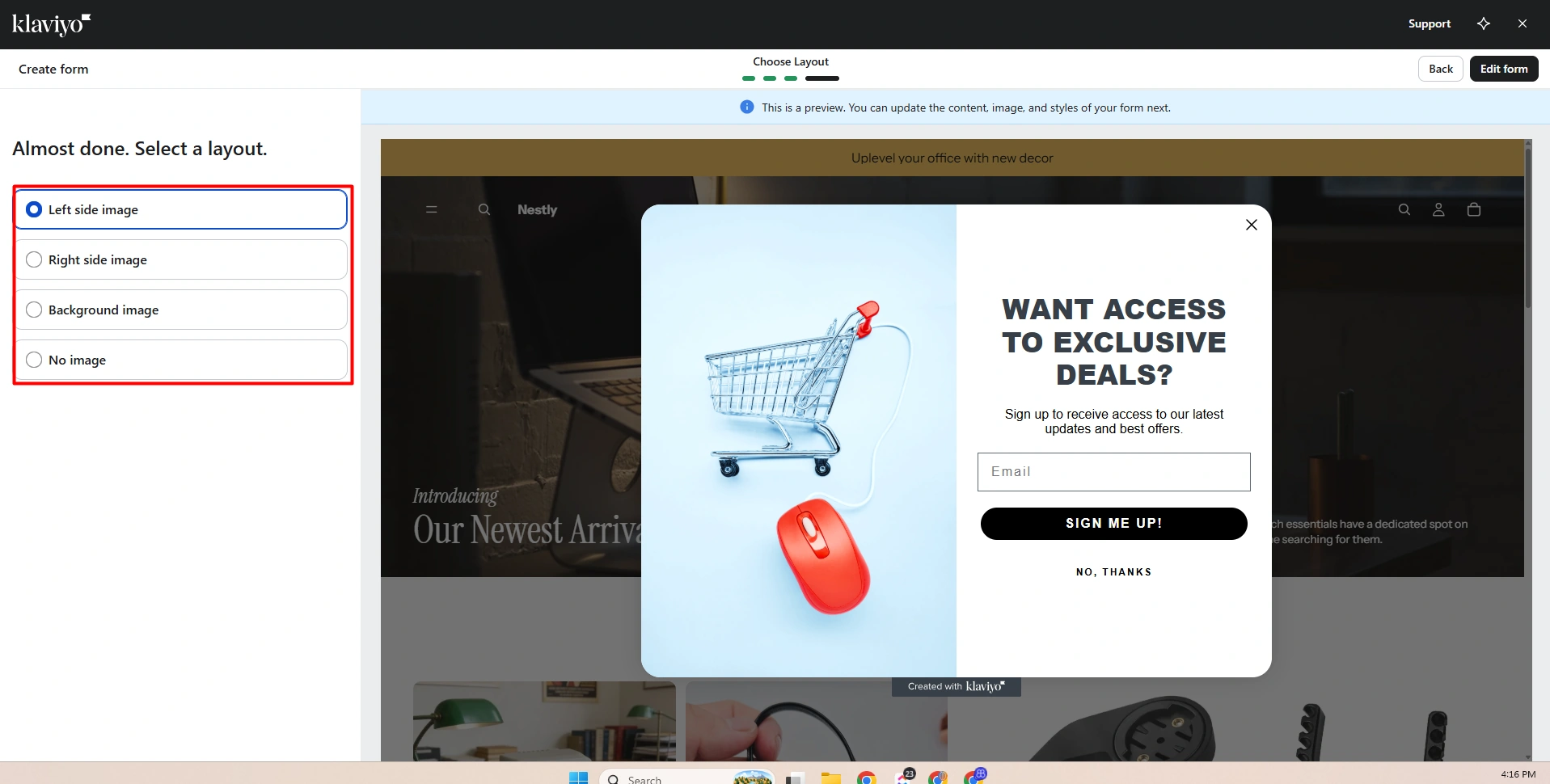
We saw a few types of forms. These were pop-up, full page, flyout, and forms that sit in a page.
The form tool has ways to change the look and text. It also has rules for where a form can show. This gives a store a fair amount of choice.
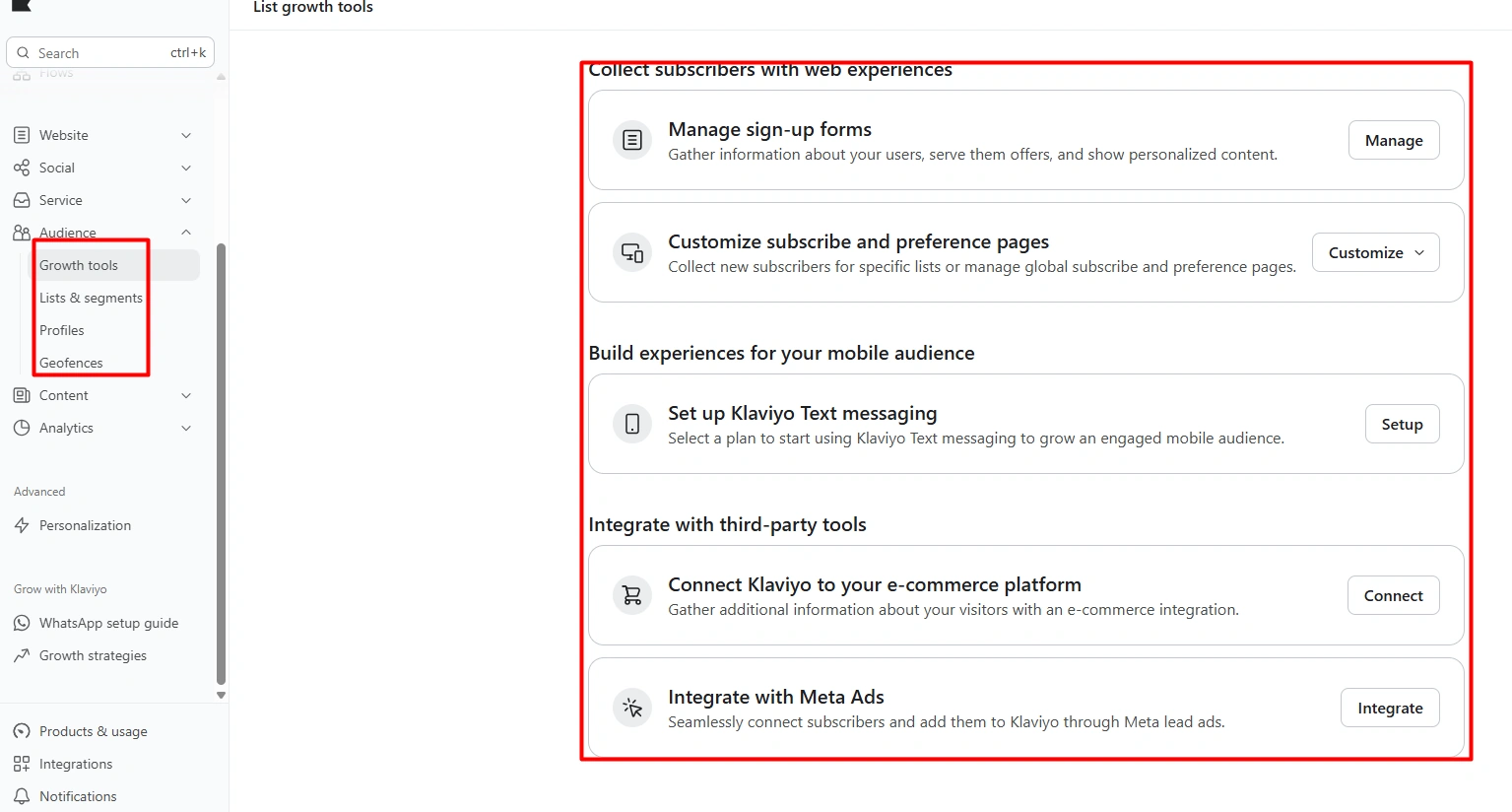
The list area puts names, groups, forms, and choice pages in one place. This can help a team keep track of who it can reach.
We did not run a live test to see if these forms gain more sign-ups. We only checked the tools and how they are laid out.
SMS and Other Channels
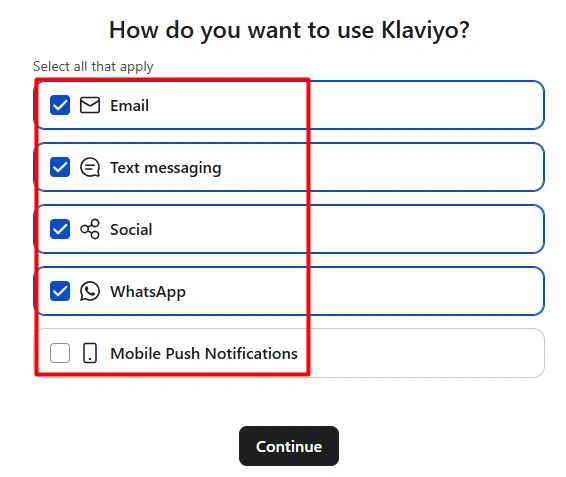
The set up showed more than email. We also saw text, social, WhatsApp, and push as ways to reach buyers.
This gives a store room to add more ways to talk with its list. It may also cut the need to use a new app for each type of message.
Our hands-on campaign test was for email. We did not send an SMS campaign. So we are not giving the SMS task a score or a full review.
Analytics and Reporting
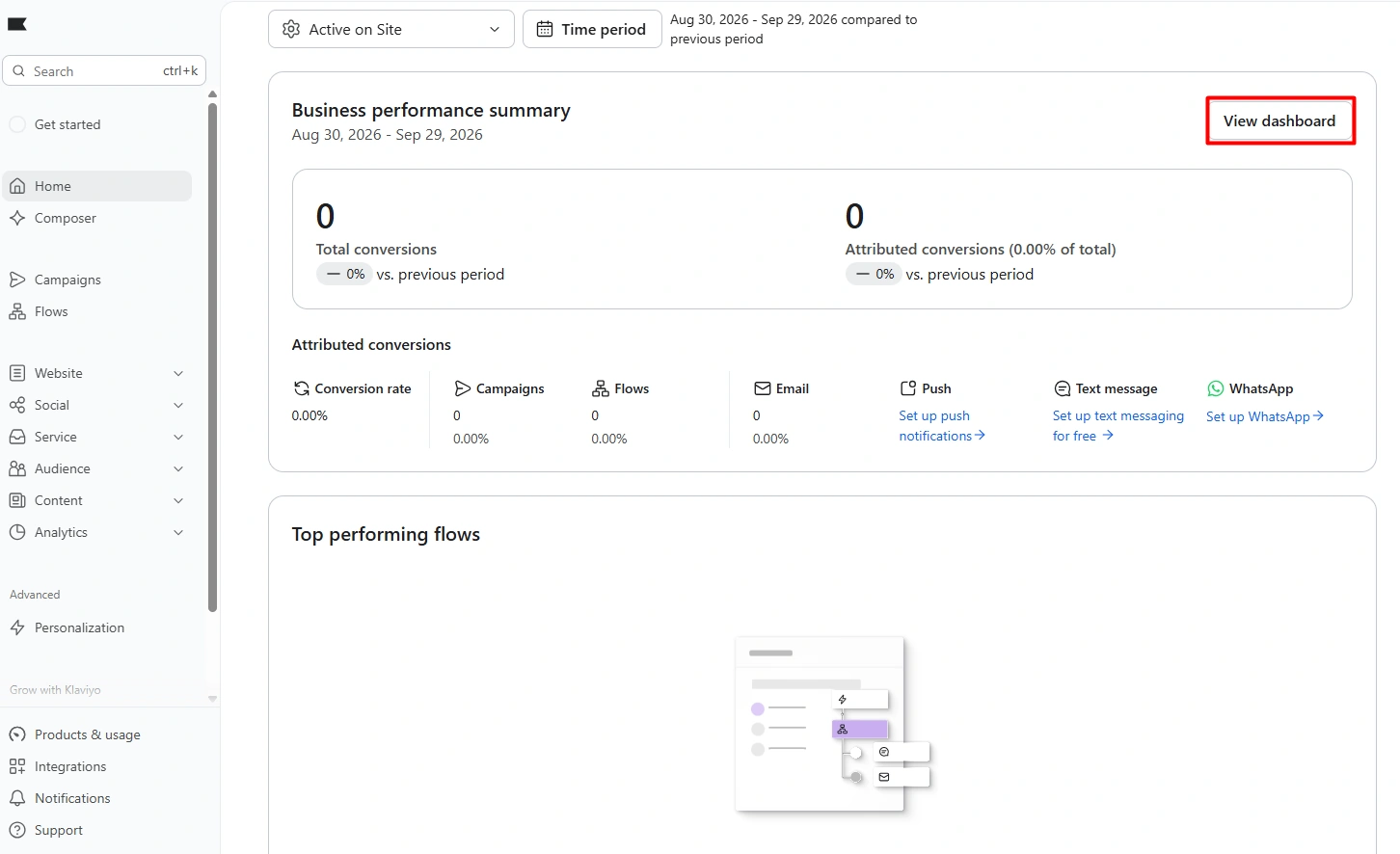
We looked at the report screens. They show data for shop and campaign work.
The screens were easy to find. We could see where a team would go to check its data.
We did not have enough live data to test if the reports were right. We did not test how sales are tied back to each message. We also did not run a long test of the report tools.
For that reason, we treat reports as a tool we saw, not one we fully tested.
Pricing
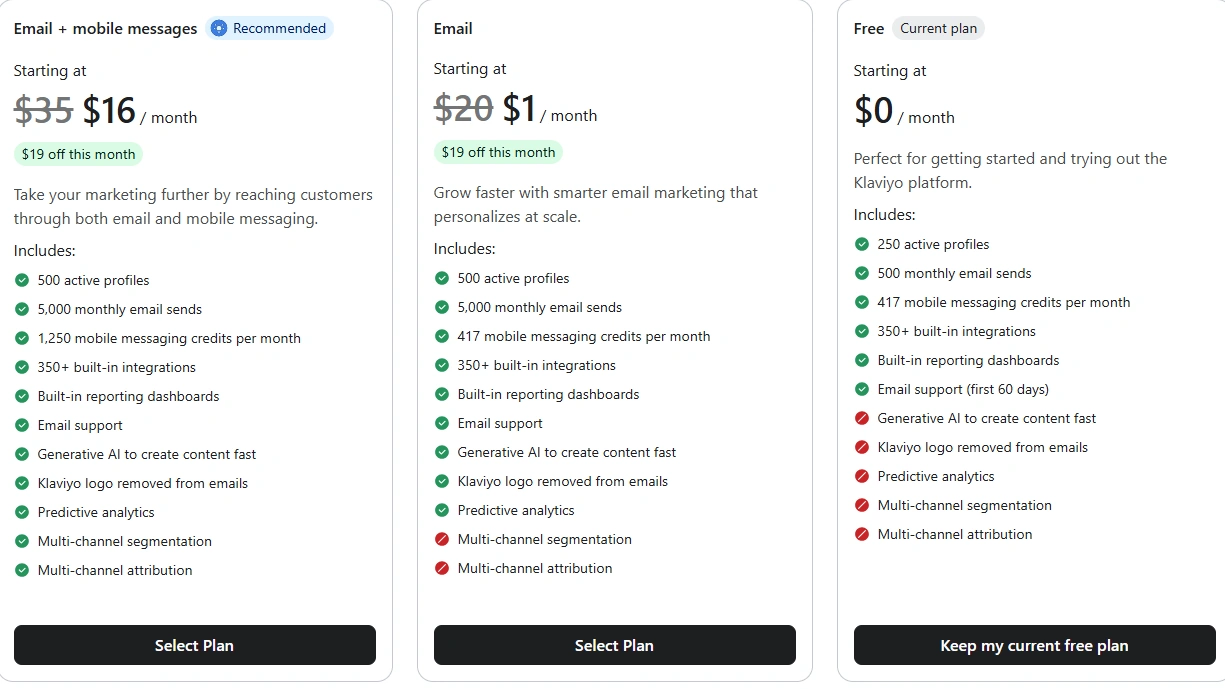
Klaviyo has free and paid plans. The cost can change as a store adds more names or sends more text and email.
This is worth a close look before you pay. A plan that fits a small list may not cost the same once that list grows.
We do not use the price shown in our test as a fixed price in this review. Plans and deals can change. Check the live price page when you are set to buy.
The key choice is value. If you use flows, forms, groups, and more than one way to reach buyers, the broad tool set may make sense. If you just send a few emails, it may be more than you need.
What We Liked and What Could Be Better
| What we liked | What could be better |
|---|---|
| Neat main menu | A lot for new users to learn |
| Clear set up steps | Set up can take time |
| Easy email task | The full app takes time to learn |
| Strong flow tools | May be too much for basic email |
| Good ways to split lists | More tools mean more set up |
| AI shop tool stood out | Cost can rise as use grows |
| No bugs in our test | New users may need a clear plan |
Who Is Klaviyo Best For?
Klaviyo is best for a shop that is set to grow. It fits a team that wants to do more than send a basic email now and then.
A store can use email first. It can then add flows, forms, groups, text, and more tools as its needs grow.
A very small shop may not need all of this. A simple email app may be enough for a short list and a small set of tasks.
The fit gets better when a store has more buyers and more data. At that point, the extra tools can give the team more ways to reach the right group at the right time.
Final Verdict
Our test of Klaviyo was good. The set up was clear, though it took time. The home screen was neat. The email task was easy to follow. We found no bugs in the parts we used.
The app has a lot of tools. That is its main strength and its main weak point. A new user may feel lost at first. A team with more needs may like the extra choice.
The AI shop tool and the ways to use buyer data stood out most. Flows are the main reason we would pick the app for a shop that is set to grow.
We would not pick it just for a few basic emails. We would look at it when a store needs email, flows, forms, and buyer groups in one place.
Frequently Asked Questions
Is Klaviyo good for Shopify stores?
It can be. The app makes the most sense for a store that wants email, flows, forms, and buyer groups in one place. A small shop with basic needs may not use all of it.
Is Klaviyo easy to use?
The main menu is clear. The set up also has clear steps. The hard part is the size of the app. There are many tools to learn.
Is Klaviyo good for a new user?
A new user can use it. Still, the large tool set can feel like a lot at first. It helps to start with one task, such as email, and learn more tools as you need them.
Does Klaviyo have flows?
Yes. Flows are a core part of the app. They can send a message when a set event takes place. We did not test each type of flow.
Can Klaviyo send SMS?
Yes. Text was one of the channels shown in our set up. We did not send an SMS campaign, so we do not rate that part of the app here.
What is Customer Agent?
It is an AI shop tool. It is made to help buyers ask about goods and find items. We looked at the tool but did not run a live help desk test.
Does Klaviyo have forms?
Yes. We saw pop-up, full-page, flyout, and in-page forms. The form tool also has ways to change the look, text, and rules.
Did we test the reports?
We looked at the report screens. We did not test them with enough live data to judge their depth or how well they track sales.